Skip to Content

Oxford English Dictionary is the very definition of an ugly Mac port


Upon learning that the Oxford English Dictionary was going to be released on CD-ROM for the Mac, I pre-ordered it from Amazon.com for $244 back in December (list price $295, currently $212). Due to Amazon's "pre-order price guarantee" the final price was just under $200. This should be considered a bargain.

The printed version of the two-volume Shorter Oxford English Dictionary sells for $350,The Compact Oxford English Dictionary "in slipcase with reading glass" sells for $400, and the 20 volume complete dictionary set sells for $995. Since I am-and hope to remain-married, I did not even consider spending $1000 on the complete 20 volume set (for very long). But a CD-ROM? That doesn't take up any space at all, and it's at a fraction of the price!

(I should probably note that Mac OS X comes with the "New Oxford American Dictionary" which is not the same thing as the OED, despite the similar sounding name.)

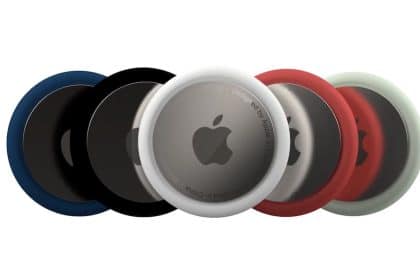
The CD-ROM lists itself as "version 4" but this is the first version to be "native" on the Mac. If there was a way to emphasize the quotation marks around the word "native" I would do so, because as I quickly learned, the OED puts the "ugly" in "butt ugly Windows port." The image you see above is the application icon. Have you ever seen an uglier icon? Have you ever seen an uglier icon for a $300 Mac application?

Unfortunately, that is only the sad beginning to the "user interface" of the OED on the Mac. Not long after starting the app, I looked for preferences. There aren't any. In fact, there are no menu items at all except Services (which don't work), Hide, and Quit. There is no Help menu. (Help can be accessed from within the application, which will open several exceedingly plain HTML files with absolutely no images or other frivolities which might guide you through the application.) There is no Edit menu with the usual Copy and Paste commands, which may prepare you for news that pasting into the application works strangely, but not nearly as strangely as copying out of the application.

If you are expecting to click into the main portion of the window, select some text, and copy it, then you are in for a surprise, because it will almost certainly not work as you expect. If you click onto the main portion of the window (even when the OED application is not active), the app will interpret that click as a request to lookup the word which was clicked. To work around this, be sure only click on the edge of the application or where no words appear in the main section of the window. I have trained myself (mostly) to only click on the window bar of the application when trying to move it forward. If you want to copy a definition, use the 'Copy' button at the bottom of the application window, which will have the effect of doing a "Select All" (which you cannot choose because there is no "Edit" menu) followed by a "Copy". If you are expecting that copied definition to have any sort of citation information, you will again be disappointed. In fact, the text which is copied is stripped of all formatting, leaving you without even basic "rich text" such as bold or italics.

Bizarrely, the OED monitors the systemwide pasteboard. Anything which is cut/copied in any application will result in the entire text of the pasteboard being pasted into the search field in OED. That means if you select the paragraph you are now reading and copy it, the OED would display the definition for the word "Bizarrely" and the words "the OED a" would also appear in the search box. If you kept a definition open in the window to refer to it, you might suddenly find that it has been replaced with another word and not know why. Fortunately, while writing this review I stumbled across a preference (under the "Options" faux-tab inside the app itself). If you un-check the option to "Look up words from other applications" the OED will stop monitoring the pasteboard. It took me awhile to realize what the OED was doing, and the preference is so poorly named that I assumed that "Look up words from other applications" referred to some sort of service where you could purposefully send text from other applications to the OED.

The "Advanced Search" does offer some fairly useful options, allowing you to search for up to three AND/OR conditions and limit the matches to various parts of speech. Another button "Lost for words" will bring up a random word, perhaps to simulate the effect of throwing open one of the printed volumes to a random page just to see what new word you might find. Those two features along are the lone shining stars in an otherwise bleak and dark night sky. Even those stars are dim: in the Results window after doing a search, the non-standard window will not respond to the scroll wheel on your mouse. Searches are saved in the "History" panel, including a summary of the results found, but the History is lost when you quit the application.

What else went wrong with the OED? Missed opportunities are around every corner. There are checkboxes (each of which is presented in ugly small caps) to include or exclude the display of Pronunciation, Spellings, Etymology and Quotations. Checking or unchecking these boxes tells the app what I do or do not want to see, but my choices are not retained after I quit the app. The "tabs" and buttons at the bottom are beyond ugly. The intended effect appears to be light coming from above, but the result looks like the app developer sat a small child down in front of Microsoft Works and asked them to design something using "Word Art" or some other atrocity. I suppose we can be grateful they avoided the use of Comic Sans or Papyrus.

There is a "Back" button which will, as one might expect, take you back through words you have previously searched. If you are expecting the OED to maintain a history of words you have searched for even after you restart the application, I'm going to assume that you have not been paying attention to the rest of this review. Maybe that is expecting too much; however, even after the rest of the thoroughly disappointing experience with user interface I was still shocked to realize that there is a Back button but no corresponding Forward button. Imagine yourself looking up ten words, and then wanting to backtrack to the sixth word you had looked up. There would be no way to then jump back to the seventh, eighth, ninth, or tenth words. You will have to depend on your memory.

At the top left of the application window is a search box where you can type a word to be looked up. On the top right is a "Find" search field which allows you to perform some other kind of search. When I searched for the word "disappoint" a pop-up window appeared and suggested that I do another search or an advanced search. It also referenced a section of the Help on the topic "How do I find a word?" but failed to offer to open the relevant help section.

It would be possible, but pointless, to go on with further detail of the relentlessly awful user interface. If I was the instructor of a college-level Mac OS X programming class and this application had been submitted as a final project, I would have given it an "F" for failing to support even the most basic elements of the Mac OS X user interface: copy, paste, preferences, menu bar, etc. Had it been submitted to Dr. Cupper, my former computer science professor, I believe he would have been tempted to give it a "Q" because, as he used to tell us, sometimes an "F" just seems too good for some efforts, as it might appear that the project was anywhere close to passing.

What good can I say about the program? It has not crashed. The same package contains the OED for both Windows and Mac OS X. Unsurprisingly the box refers to this as being "PC and MAC" [sic] compatible. The EULA states that the application can be installed on "a single computer" which might suggest that if you use Boot Camp on your Mac you can use it under Windows as well. The program does not seem to include any DRM, nor is there a registration code. There are two CDs which are only needed for installation, although it is still unclear to me why two CDs were necessary.

I have little hope the OED under Mac OS X will improve. In fact, I would not be surprised if this was the last version of the OED to ever be released on physical medium. There is now an online subscription service available for $300 annual/$30 monthly (North/South America only, other rates apply to other areas of the world). Online subscription is, I suspect, the only real future of the OED. The print version is far too costly to produce and is no doubt out of date as soon as it has been printed. Even if it could be produced for half the current cost (which, at $50/volume, is not unreasonable), the previous version was 20 volumes, and few homes are likely to be able to or want to shelf such a collection.

The Oxford English Dictionary has no equal. There is no competing product which would offer the content available in the OED version 4 on CD-ROM. If you are interested in that content, you either have to be willing to overlook its crimes against human interface guidelines or start saving up for either a print edition or online subscription. The benefit of a CD-ROM version is that it consists of a one-time fee, which is why I purchased it and why still consider it the best available option for those without an unlimited budget.


Categories

Software Road Tested

Upon learning that the Oxford English Dictionary was going to be released on CD-ROM for the Mac, I pre-ordered it from Amazon.com for $244...
 

Add a Comment

*0 / 3000 Character Maximum

34 Comments

Filter by:
Tom Parker

What I find atrocious about the comments is all the negativity from people who have never used, seen or touched the OED. I use the Windows version on a virtual machine and find it clunky, yes, and sometimes slow to load, and having to reinsert the data disk every 90 days is a major pain in the behind. (The Mac version is blessedly free of that hassle.) However, the OED is the undisputed last word in the English language and a joy to use no matter how obsolete its interface. Those who judge the book by the cover, so to speak, miss the point of the OED. The vast majority of people will never need its depth, but for those of us who write for a living, there is simply nothing else that comes close. The OED is indispensable. And the CD-ROM version takes up far less space than the 20 volumes!

December 02 2009 at 10:44 PM Report abuse rate up rate down Reply
T9sus4

Many public library users in the UK have free access to the online OED: visit your library's website - in my case http://www.devon.gov.uk/index/culturetourism/libraries/info/onlinereference/oed.htm - and it will provide a link to http://dictionary.oed.com/cgi/lclogin (must be visited through the library website, bookmarking/direct visiting will not work) and enter your library user card number.

One of the best perks of being a library user!

September 27 2009 at 5:54 AM Report abuse rate up rate down Reply
SableFable

As there's no DRM, would some code-knight in shining armour be able to write a Cocoa app able to read the OED's data? They could probably make some money off mac users with OED already and potentially sell it on to be included in place of this aberration in any future editions.

September 26 2009 at 7:36 AM Report abuse rate up rate down Reply
Martin Rothe

To add to the comments about being able to access the online edition with a library card; UK university students can access the entire online edition with their uni login. Just click Athens/Institution under the login box.

September 26 2009 at 4:46 AM Report abuse rate up rate down Reply
Bloonker

The Enfour version of the OED ON IPhone is really nice - and a lot cheaper!

September 26 2009 at 12:56 AM Report abuse rate up rate down Reply
bloodnok

i trashed the oed2 software for windows years ago in an amazon review (http://www.amazon.com/review/R2OW3EN6S5ECRD/). it was unmitigated crap on that platform. unsurprising that the same inept crew were responsible for unmitigated crap on osx. it's really too bad, though. the oed is a brilliant dictionary. so why is it marred with the worst interface ever devised?

September 25 2009 at 11:10 PM Report abuse rate up rate down Reply
HawaiiBill

If you are in the mood to see how a document on literary or 'wordsmith' needs should be presented let me suggest the Chicago Manual of Style. Great!

http://www.chicagomanualofstyle.org/tools_citationguide.html

Any publisher wishing to produce an online version of a serious word or style compendium should study this classic. They are on the 15th Edition and will soon be on 16th. As I recall when I signed on it costs $30 a YEAR! And it is a marvel of clarity and ease of access.

September 25 2009 at 9:53 PM Report abuse rate up rate down Reply
somthingorother

I have access to the previous cd-rom version at my college. Before you go and get your knickers in a twist, please take a look at the windows version of the cd-rom. Its interface is reminiscent of Windows 3.1. I don't find it surprising that the Mac version isn't pretty or user-friendly either. I know we expect beauty and functionality because we are Mac users, but bear in mind that our Windows brethren aren't fairing any better.

If dictionary.app or dictionary.com suits your needs, then by all means, save your money. However, if you need the OED, the cd-rom version is much more convenient than wrestling with the 20-volume set - even if the software is ugly.

September 25 2009 at 7:44 PM Report abuse rate up rate down Reply
1 reply to somthingorother's comment
untmdsprt

I was wondering how the PC version looked.

Here's a thought, why not tell OED all the functional problems it's having so they can at least update that in future versions. Yes I know I'm being nice here.

Just because it's ugly, doesn't mean it can't be functional. Just look at OpenOffice or NeoOffice.

September 25 2009 at 8:20 PM Report abuse rate up rate down Reply
Toby

I'll put in another vote for using the online version (especially if your local public library, university, etc. will let you use it for free). It's relatively well designed (less obnoxious, in fact, than the web version of Merriam Webster, say). It also has a decent "print" option which pairs nicely with OS X's built-in Save as PDF... functionality. Plus it's updated regularly (and if I remember right, the CD-ROM versions require you to pay for updates).

September 25 2009 at 7:32 PM Report abuse rate up rate down Reply
David

This is disappointing. I get free access to the OED website via school but I would gladly pay $100 or so for a software application designed as nicely as Dictionary.app.

September 25 2009 at 7:17 PM Report abuse rate up rate down Reply
Buy an ad here

Hot Apps on TUAW

Tweets

© 2012 AOL Inc. All Rights Reserved.