TUAW Review: MacBook Pro (Late 2008)
As many TUAW readers know, I was dealt a bad hand with the last generation MacBook Pros, so I met the new MBPs with open arms. My first impression of the new machines: the new MacBook Pros are absolutely amazing, but not all of the changes are good (we'll get to those in the second half of the review). Read on as I tackle each of the new features.
The New Design
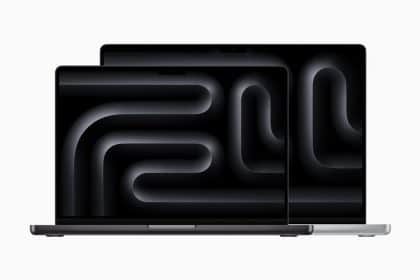
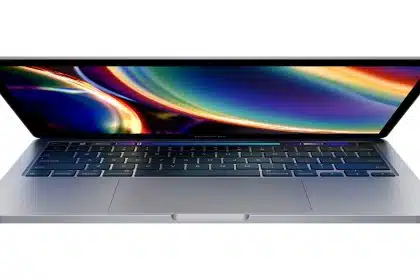
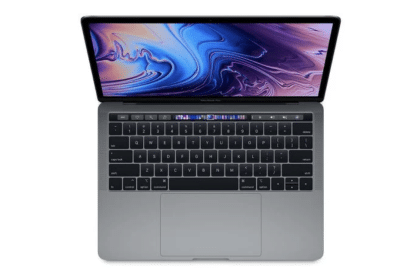
I think Apple made a big improvement with the new laptop design. Overall, it is sleek and beautiful – the design is reminiscent of the MacBook Air, only thicker. Previous MacBook Pro generations had a physical latch mechanism for opening/closing the screen, but Apple has moved to the newer magnetic latch that can be found on both the MacBook Air and MacBook models.
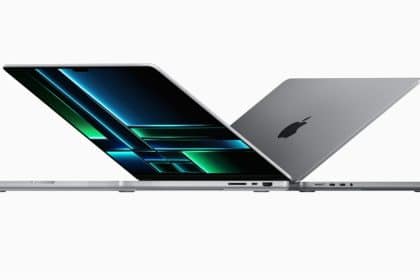
Earlier generations of the MBP had two USB ports, but on opposite sides of the case. When you have cables coming out of both sides, it makes the system almost unusable as a notebook, and makes it look less attractive. Apple has changed this by moving all the ports to the left side of the machine, while the SuperDrive has been moved from the front to the right side. This is a big improvement.
How many people do you know who have successfully upgraded their MacBook Pros hard drive? On previous generations, this task was almost impossible due to the fact that you needed to disassemble the entire machine to reach the drive. Apple now has a door on the bottom that, when opened, gives you instant access to the removable battery and hard drive. You do have to remove the back of the machine to reach the RAM, but it only has a couple of screws.
The new casing feels sturdier when you pick it up; you can definitely feel a difference in the quality of material used to make the new MacBooks. This is largely due to Apple using the new "brick" manufacturing method. In addition, this casing makes the entire computer run cooler ... in previous models, you could (almost) fry an egg on the back of the machine, but I haven't noticed much heat being produced on the new machine.
Continue reading for the full review and pictures...
The Screen
This is where most of the fuss has been about the new MBPs. Apple has decided to stop manufacturing matte screens in favor of the new glass/glossy screen. Many imaging and video professionals who prefer matte screens feel that the glossy screens don't do their work justice (they don't provide accurate color, or accurate contrast). Before upgrading to the new MacBook Pro, I was a matte screen guy – I had never owned a notebook with a glossy screen before, and I was a bit skeptical about upgrading with the X-factor of the glossy screen. That being said, I've grown to like the glossy screen over time. It reminds me of the old CRT monitors that everyone used before LCDs were popular. There are still problems with the glossy screens. Depending on the environment that you are in, you might occasionally see a reflection out of the corner of your eye. The screen doesn't work the best when you are using it outdoors, or indoors with a lot of light. However, the new screens definitely make the colors "pop." If you are in a low-light condition, the screen looks beautiful. The black bezel around the screen also makes things look brighter.
If you are a pro user and need a matte screen, Apple is still selling the matte Cinema displays – however, that will set you back even more money. When you look at the MBP screen, it gives you a sense that you're using a smaller iMac, so if you're used to that look, you might have a better time adjusting to the MB/MBP glossy screen.
The Trackpad
If you are accustomed to using trackpads on older Apple notebooks, then you probably already know how to use the new trackpads. However, if you are a new Mac notebook user, then you might have to adjust to the new feel of the trackpad. The trackpad is definitely slicker than the previous generations – your finger slides a little more easily across it, which makes it easier to use. In addition, the trackpad is also larger, which is due mainly to Apple removing the hard button in favor of the 'button is the trackpad' click-sensitive surface. Yes, the button is gone, but as other reviews have noted the clicking experience is still the same -- if you have muscle memory of a previous MacBook Pro trackpad, your thumbs will know what to do with this one. The nicest thing about this trackpad is the ability to wipe off dirt without the possibility of ruining the trackpad. The 'trackpad is the button' concept is quite nice, because it allows you to drag and drop files easier. You can also depress the trackpad anywhere to perform a click; the closer you are to the top of the trackpad, the harder it is to press, which encourages you to keep the same click habits as you would use on the older models.
Apple has provided a ton of useful gestures that can be used on the new trackpads. Some of the gestures were available on the previous generation MBPs, but most of them are new. For instance, you can use four fingers to swipe upwards -- this will activate Exposé and allow you to see your entire desktop. These gestures are nice time savers.
The New Keyboard
If you haven't tried out Apples new "Chiclet-style" keyboards, then you must, because they are a pleasure to type on. If you have used the wired/wireless aluminum Apple keyboards then you will feel right at home; otherwise, you will probably have to get adjusted to the new look/feel. Despite the new keyboard design, Apple kept the backlit keys – the "new" MB/MBP keyboard is basically the same thing as the MacBook Air keyboard. The keyboard is recessed so that it's flush with the base. This keeps the keyboard from touching the screen while the lid is closed – a nice design feature that will keep the glossy screen from becoming smudgy.
MacBook Pro Missteps
Apple definitely took a few shortcuts on the new MacBook Pro that might end up being deal-breakers for some pro users. Here's a couple of them:
- Apple has done away with FireWire 400 on the MBP, leaving one FireWire 800 port. Apple has left MacBook users without any FireWire ports, so if you use FireWire, your only upgrade path is the MacBook Pro. Cables to connect FW400 devices to an 800 port are readily available; however, if you previously segregated your 400 and 800 devices onto their own busses for maximum speed, you can't do that with the new model anymore.
- There is no longer a matte option for the MacBook Pro. This misstep is huge, considering how many creative pros demand matte screens for color accuracy. Giving users the option on the pro line would be a nice touch, but it looks like Apple will not be giving into customer demands any time soon.
- The new MiniDisplay port is now the only option you have for connecting an additional monitor. Apple says that they will be moving the entire line of computers to this new "standard." Apple claims that it can power a 30" Cinema display. But what if you don't want to purchase a new display for your new notebook? Well, you must purchase one of the three new adapters for the MacBook line. That's right, Apple wasn't generous enough to include a VGA or DVI adapter in the box – even though there is a cut-out space for them inside the box (maybe for orders that include a display or display adapter, or maybe a last-minute cost cutting choice).
Final Thoughts
Overall, the new MacBook Pro is amazing – if you can get over the caveats. It is slowly winning me over to become my favorite Mac notebook I've owned. If you are thinking about purchasing one of the new machines then I suggest you test-drive one in an Apple (or third-party) store. If you want to see more in-depth pictures of the MacBook Pro, check out our gallery.
Share
Categories
As many TUAW readers know, I was dealt a bad hand with the last generation MacBook Pros, so I met the new MBPs with open arms. My first...
Add a Comment
Apple was kind enough to supply me with a free mini DisplayPort to DVI cable with the MBP I ordered. Can't fault them for that.
I also can't fault them for the lack of a matte screen. I no longer do very much production or design work on the small laptop screen. It slows down the workflow. Instead, a cinema screen is really the only way to go. In the field, my local coffee house, or elsewhere the glossy screen gives me more oomph for light surfing, coding, or reading.
I love the design, feel, and the new graphic power. Lightroom can now processes my 16MB raw files at light speed.
Where I do think Apple was a little short sighted, was with their frugal offer of just one FW800 port. I have a number of printers, flatbeds, film scanners, and drives running at various FW speeds. That means while in the studio, my new MPB must remain married to a new FW 800 expresscard. I can't even find any FW800 hubs for the one port -- as it appears most were discontinued many, many months ago. What was Apple thinking? Now I have to get creative -- especially when working with new high speed eSATA drives.
While there's a lot to praise Apple for, I can't help but feel the Pro in the new MacBook Pro has slipped a notch to mean the new MacBook Prosumer.
I think you are spot on with the review it is a great looking machine and feels really solid and somehow feels heavier than my old MBP 2.16. I have unfortunately having a strange intermittent problem with my machine, whenever I put the machine to sleep for more than 10-15 mins on wake up the screen starts flickering so I have sent it back to my dealer today.
October 29 2008 at 4:16 AM Report abuse Permalink rate up rate down ReplyLet's be clear. Glossy displays are bad for soft-proofing output. That being said, so are 6 or 8-bit laptop displays, but using one in the field is a necessary evil for many pro photographers. Glossy, low-bit displays are just useless for pro photographers in the field. A matte laptop display can be calibrated to present soft-proofed images that look reasonably similar to the same soft-proofed image on a pro desktop display, such as the Eizo ColorEdge line or the LaCie 700 series. A glossy laptop display simply cannot be calibrated to present soft-proofed images that look anything like either the actual output or the soft-proof on a pro desktop display.
Incidently, the new LaCie 700 line is LED, just like the MacBook Pro and the 24" LED Cinema display. The LaCie display finish is matte. Many specialty glassmakers make coated glass that eliminate 99% of reflections. It seems to me that Apple could make a higher bit-rate laptop display with LEDs, the color and contrast of matte displays, and anti-reflective glass. It would be expensive, but Apple should support the pro users whose work is color output critical. The pros supported Apple when no one else did for the very reason that they supplied the necessary visual performance specs and ease-of-use that pros demand. Pro have also always been willing to spend the extra money for necessary features.
Higher bit-rate processing in laptop displays would eat into the power usage improvements of LED, but combine it with a matte finish and finer adjustment capabilities and you have a laptop that will have pro photographers lining up to buy. Right now they're staying away in droves.
Just got mine (MBP 2.53 GHz) last night. Why doesn't Handbrake utilize the CPU fully??? It's like it's capped at 20-25% for some reason. Otherwise, this computer is amazing!
October 28 2008 at 11:37 AM Report abuse Permalink rate up rate down Replynikster said:" The LCD display glass must hold up to the same standards as expensive optical glasses - the optical quality must be perfect. To that end, glossy is the only way to go."
You know, there's a plastic panel behind that glass?
Why do you say that? I don't necessarily doubt you, but you don't give me any reason to believe you, either.
I've just looked at two disassembly articles to try to confirm this. Neither mentions a layer of plastic behind the glass.
Kindly put up or shut up.
wow, a lot of gripes about the glossy screen. my macbook came glossy and I've had no problems with it in two years. Hell, the iphone is glass and therefore glossy, and I use it all the tyme outside!!! and it's always still usable. the benefits of it being glass far out way the glossiness.
October 28 2008 at 1:34 AM Report abuse Permalink rate up rate down ReplyMaybe somebody tries to do color critical work in the field and you don't?
October 28 2008 at 4:03 AM Report abuse Permalink rate up rate down ReplyAnyone wanting to do color critical work in the field with a glossy-screen laptop will have no more or less problems that with a matte screen. Believing so doesn't make it true. The so-called color issues with glossy screens are a myth.
October 28 2008 at 3:24 PM Report abuse Permalink rate up rate down ReplyObviously the glossy screen issue is highly subjective. I prefer it to all of my previous matte displays, glare and all. I find it easy enough to adjust the display angle as needed.
As for being wary of revision A hardware, I agree, but bought this new MBP because I viewed it as a revision B product; the Air being revision A. It's run well, and I run it hard every day using Vmware Fusion and developing ASP.NET web applications.
I'd also like to point out that the MBP has a card slot which can be used to add FireWire 400, a solid state disk, or more.
OK, I just upgraded my aging MBP (Holiday 2006) with more HD space and a new battery for college, so I plan on getting another year out of this one. But I do like the new design; glossy works well for portables. But to go glossy on a desktop display? Stupid. That only works under certain lighting conditions.
Plus, it's never a smart idea to get Rev. A Apple hardware. That's why I waited as long as I did to get my MBP (that and I wanted Core 2), and I've had minimal problems with it. I hope that with Rev. B, they bring back FW400. Chances are slim, but if there is a clear and intense demand from the people, it could happen. I just don't want to lose my FW800 speed when I need to connect 400 devices.
I really like my new MPB. :)
October 27 2008 at 6:25 PM Report abuse Permalink rate up rate down Reply"It reminds me of the old CRT monitors that everyone used before LCDs were popular"
Huh?!? Funny, every CRT I've ever owned had an anti-glare coating on it! You couldn't sell one without it on your bullet point list. Not only did high end CRT's for color critical work have really good anti-glare coatings, they also had hoods to cut down on stray side lights. Some even came with black smocks for the user to wear.
Hot Apps on TUAW
Deals of the Day
more deals- Used Apple iMac 17" Core 2 Duo 1.83GHz for $430 + $28 s&h
- Lounge Deluxe Stand for iPhone / iPod touch for $28 + $8 s&h
- Brookstone Surround-Sound Earbuds for $14 + $7 s&h
- Refurbished Skullcandy Tokidoki Smokin' Buds Mic'd Headset for $5 + $2 s&h
- Stitchway Backup Battery for iPod / iPhone for $5 + free shipping
- Used Apple MacBook Pro 2.4GHz 15" LED Laptop for $1,030 + $29 s&h
Software Updates
more updates- EFI Firmware Update brings Lion Internet Recovery to 2010-model Macs
- OS X Lion 10.7.3 released with Safari 5.1.3, Wi-Fi bug fix
- Aperture updated to 3.2.2, addresses Photo Stream issue
- Apple updates Keynote to address Lion issues
- Google Search app gets new look on iPad
- Apple releases Apple TV Software Update 4.4.3


59 Comments