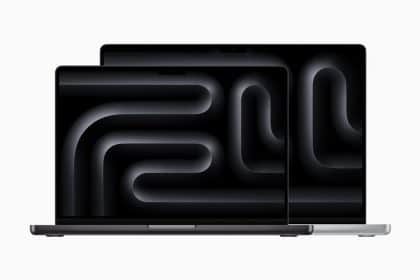
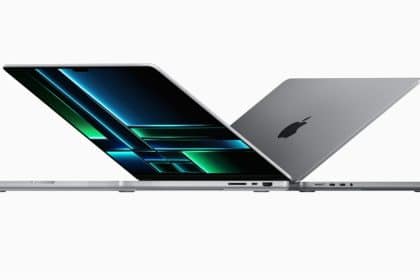
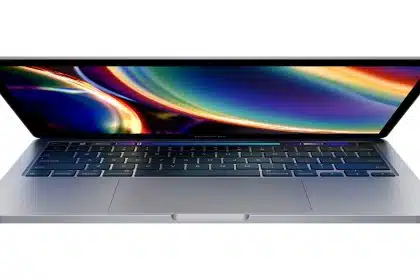
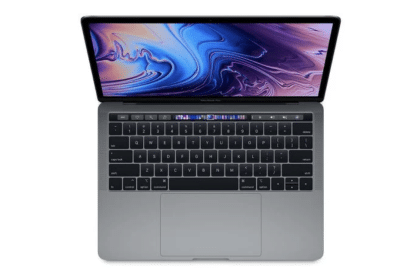
So you just got a MacBook Pro -- now what?

All day on December 25, TUAW presents "Now What?" We've got first steps and recommendations for all the Apple gifts you (hopefully!) found under the tree today. Happy holidays!
Congratulations on your new MacBook Pro!
For the Desk
While you are on the go, the MacBook Pro allows you to have the best mobile Mac experience; however, when you get home, you might want to have a more complete desktop config. The first place to start is by purchasing a display. Apple's 24" LED Cinema Display is the ultimate MacBook Pro accessory that combines a huge 24" glossy screen with additional speakers, iSight camera, and power for your MacBook via a MagSafe adapter. While the Cinema display is gorgeous, it is also expensive -- if you don't mind how your external display looks, then you can go with a Dell display. It's true, Dell displays can give you more "bang for the buck" with bigger screens for less money.
If you plan on using your MacBook Pro in desktop mode some of the time, then you might want to consider getting an external mouse and keyboard. I would recommend the Apple Bluetooth keyboard because of its portability and cool design. I would also recommend the MightyMouse, but have a warning for you: It may break sometime within the first year of owning it. The Mighty Mouse most commonly has a problem with the scroll ball failing to scroll after some use; however, a good cleaning can normally free up the scroll ball.
Other Desktop accessories that go great with a MacBook Pro:
- Griffin Technology's Simplifi is a clean, simple solution to docking your iPhone/iPod, accessing photos/other media on media cards, and it does triple duty as a USB Hub.
- The Rain Design, Inc. mStand (or Griffin Elevator) is a great way to get your notebook up to eye level for better ergonomics.
Read on for more applications, cases, and software for your new MacBook Pro.
For the frequent traveler
If you often travel for vacation (or those "business meetings") then you will appreciate the MacBook Pro's ~5 hour battery life; however, it is always important to carry another power source with you. I would recommend a spare replacement battery for anyone who travels. After all, you never know when your flight might lay over and you can't find a wall plug at the airport. Apple's replacement batteries are around $130US depending on where you purchase them.
If you find yourself stuck in an airplane with those fancy DC outlets, then you should take a look at Apple's MagSafe Airplane adapter. This adapter is the only official way you can get power to your notebook when in the air, due to Apple's unwillingness to license the MagSafe adapter (although there are some third-party approaches as well).
A backup drive is a great addition to your new machine; since you'll be mobile, your drive probably should be too. Seagate's FreeAgent Go for Mac comes preformatted for Mac OS X in multiple capacities, and offers both USB and FireWire connectivity for maximum flexibility (since your MacBook Pro has a FireWire port, and you paid for it, you might as well use it).
For the Gamer
Some of the best games are available for the Mac platform (no, really!), and the MacBook Pro is a powerful machine to play games on. If you are looking for some great games to run on your MacBook Pro, then start here:
- Call of Duty 4 - This is a first person shooter game that simulates modern warfare. This games carries a "Mature" rating, so it is not suitable for anyone below 17 years of age.
- World of Warcraft - An MMORPG (Massive Multiplayer Online Role Playing Game -- yes, that's a mouthful) that has beautiful graphics. If you like playing other online role playing games (like RuneScape), then you will love it. With WOW you must purchase a subscription, however. If you plan on joining the WOW world, then checkout WOWInsider -- our sister site that covers all things Warcraft.
Cases & Other Accessories
If you wish to keep your precious MacBook Pro intact, then you might want to think about a notebook sleeve for your MacBook Pro. I would recommend the following notebook sleeves:
- RadTech's Sleevz & ScreenSaverz - RadTech's sleeve is a nice way to carry around your MacBook Pro. It keeps it from getting small dings and scratches, but won't do much if you drop it. If you are not too great with balancing $2000 notebooks, then you might want to get a well-padded bag for your MBP.
- Tucano Second Skin - When I upgraded to the MacBook Pro, I took a look at the Tucano sleeve, and it exceeded my expectations. This case has great padding, and zips up for security. Oh yeah, it also has a great feel, and even includes a keyboard cover.
- Mac-Case Sleeve - OK... I must admit: I love notebook sleeves. I had a Mac-Case sleeve for my iBook G4, and I loved it. These sleeves are well padded, and provide a great look for your notebook.
If you travel, then you might want to invest in a good notebook bag to carry your MacBook Pro in. Bags provide more support than sleeves, and also allow you to carry more stuff. I use a Swiss Gear bag for carrying my notebook to and fro. I don't have to worry about my MacBook Pro, because the bag is padded extremely well. Plus there's plenty of room for books, bottle of water, cables, adapters, CDs/DVDs, external hard drive, etc.
As Robert and Megan have pointed out already, AppleCare is worth considering for mobile users; laptops get more wear and tear than desktops. The AppleCare extended coverage may come in handy during the life of your MacBook Pro. You have up to one year from the date of purchase in order to get AppleCare -- I always like to take advantage of this and wait it out for a few months past the original buy date, as the price of AppleCare is $349US. You can learn more about AppleCare by visiting Apple's Support website.
Do you have another MacBook Pro accessory that you like or can't live without? Be sure to tell us in the comments below!
Share
Source: http://tuaw.com/category/mac-101
Categories
All day on December 25, TUAW presents "Now What?" We've got first steps and recommendations for all the Apple gifts you (hopefully!)...
Add a Comment
2 months later ... anyone have better suggestions for must-haves?
February 16 2009 at 7:25 PM Report abuse Permalink rate up rate down ReplyI got a new unibody MacBook Pro and now come the accessories:
Time Capsule 500gb
Extra Battery
ShaggyMac Screen Protector and Cleaning Kit
http://www.shaggymac.com/
Case Logic Sleeve
I wish I just got a MacBook Pro!
December 26 2008 at 10:29 AM Report abuse Permalink rate up rate down ReplyBased on personal experience, I feel that AppleCare for the MBP is a MUST ... and hope you received the coverage with your new laptop!
December 26 2008 at 5:33 AM Report abuse Permalink rate up rate down Reply@David Lawrence: thanks for your reply. i did keep the Styrofoam, but it doen't look too professional :)
on mine, the keys do touch the screen so every morning i find fingerprints smudges on the glass. also, the keys tend to get greasy, although i'm pretty careful and i guess a Keyboard protector would keep the "brand new laptop" appearance longer.
Applecare is definitely a good idea, especially for mobile users, but waiting a few months after your laptop purchase doesn't do any good. Your Applecare warranty extension is based on the date of your laptop purchase, not your Applecare purchase. Waiting won't add any time to your warranty.
December 25 2008 at 4:40 PM Report abuse Permalink rate up rate down ReplyIt's not a matter of adding time to the warranty.
Applecare ain't cheap, especially if you're a student or similarly cash-poor and live hand-to-mouth.
Being able to buy Applecare anytime within the first year of ownership is great because it allows one to put aside a few bucks each month to buy it instead of having to buy the extended warranty outright on the very first day.
I TOTALLY took advantage of this back in college, saved my ol' PowerBook multiple times.
Kudos to Apple for allowing this, and happy holidays to all!
I have seen a lot of blog posts recommending the Swiss Army bags. However, if you check their web site, they are out of stock (and have been for months) of all of the bags in their computer line.
December 25 2008 at 4:25 PM Report abuse Permalink rate up rate down ReplyI've had a Spire bag for a few years now and it's been great. Highly recommended (and in stock).
December 25 2008 at 5:09 PM Report abuse Permalink rate up rate down Replywhat about a keboard protector. I found one that fits a MacBook Air and apparently is good enough for MacBook Pro, but I want one that was made for the new unibody MBP. what would you recomend?
December 25 2008 at 4:18 PM Report abuse Permalink rate up rate down ReplyI have a new MBP and find that a keyboard protecter is no longer necessary as it was with my old powerbook G4. The new unibody design is so solid that the screen just doesn't touch the keyboard. And the glass is easy to clean and far less scratch prone than the old matte screens. I think you can save your money and you'll be fine. If you're still concerned, just use the thin styrofoam sheet that came with your MBP (assuming you kept it.)
December 25 2008 at 5:30 PM Report abuse Permalink rate up rate down ReplyTwo suggestions-
Re keyboards, the new MacBook Pro keyboard, though superficially similar to the old MacBook and MacBook air, does has somewhat better travel and feel- but a Logitech diNovo Edge Bluetooth keyboard for Mac is quite a bit better, and my favorite so far for Macs, having tried over half a dozen other solutions. Great feel and functionality.
Re LCD monitors, I'd caution that you need to understand your intended use before making a choice- if you are a casual user, the suggestion above for a Dell monitor as a lower cost solution is OK, I guess.... (though as much problems as we've had with Dell gear at work I wouldn't touch one), but if you're a critical user, say, in content creation or photography, then the lower cost 23-26" TN panel LCDs, which are typical in the sub $800 category, are not the way to go, due to variability in even minor off axis color reproduction. Then, you'll be looking at monitors like the NEC LCD2690WUXI, which at ~$1200, show that the Apple Cinema display with it's built in audio and charging station is a pretty reasonable value. And don't forget your color calibrator. That's included with the NEC, but third party ones are available. I have a Viewsonic 26" LED display, but it's only used for PCB CAD- the MBP is connected to a 24" cinema display, and I think it's well worth the money.
its like apple paid for this post ;D
December 25 2008 at 12:36 PM Report abuse Permalink rate up rate down ReplyHot Apps on TUAW
Deals of the Day
more deals- Altec Lansing Octiv Duo iDock for $48 + free shipping
- Used Apple iMac 17" Core 2 Duo 1.83GHz for $430 + $28 s&h
- Lounge Deluxe Stand for iPhone / iPod touch for $28 + $8 s&h
- Brookstone Surround-Sound Earbuds for $14 + $7 s&h
- Refurbished Skullcandy Tokidoki Smokin' Buds Mic'd Headset for $5 + $2 s&h
- Stitchway Backup Battery for iPod / iPhone for $5 + free shipping
Software Updates
more updates- EFI Firmware Update brings Lion Internet Recovery to 2010-model Macs
- OS X Lion 10.7.3 released with Safari 5.1.3, Wi-Fi bug fix
- Aperture updated to 3.2.2, addresses Photo Stream issue
- Apple updates Keynote to address Lion issues
- Google Search app gets new look on iPad
- Apple releases Apple TV Software Update 4.4.3


20 Comments