Skip to Content

Swap a Macbook's glossy display for matte


Users have a love/hate relationship with Apple's glossy displays. Namely, they either love them or they hate them. I haven't used one myself, as I'll be hanging on to my original MacBook Pro until it ceases to work.

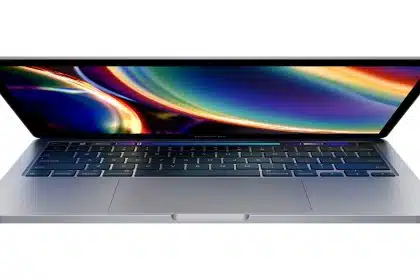
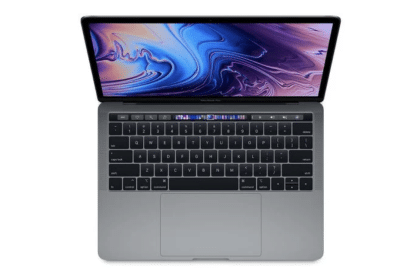
Until now, shoppers could get either a glossy or matte display with the 15" MacBook Pro, but not the 13" model. TechRestore has stepped in to do the "repair." For $200, they'll remove your 13" MacBook or MacBook Pro's glossy display and slap a matte screen in its place. The work comes with a 1-year warranty and TechRestore says they'll have your precious back to you within 24 hours of receipt. Note that this requires a trade-in of your existing screen; you won't get it back.

If you have this service done, please let us know how it goes. Enjoy your glare-free computing!

For comparison, RadTech sells an anti-glare film that can be applied over a glossy display. They're available for the 13in MacBook/Pro (unibody), the 15in MacBook Pro (unibody), the 17in MacBook Pro (unibody) and various iMacs. You can get the full list here. The films start at $19.95US each.

[Via Cult Of Mac]

Categories

Hardware Portables MacBook

Users have a love/hate relationship with Apple's glossy displays. Namely, they either love them or they hate them. I haven't used one...
 

Add a Comment

*0 / 3000 Character Maximum

22 Comments

Filter by:
cromas

Now if only Apple would stop using TN panels on $1200 notebooks =/

October 15 2009 at 12:53 AM Report abuse rate up rate down Reply
Martin

For what it's worth Dave, having a love/hate relationship means you love some things about it and hate others. That's a lot different than either hating something completely or loving it completely.

Fortunately for me I don't work with my Mac under fluorescent lighting, so my glossy isn't too bad. I much prefer the matte option though, and I might give this a try.

October 14 2009 at 10:22 AM Report abuse rate up rate down Reply
keith

I am using the power support film on my unibody MBP. I do not have any of the line issues and you can't see the glossy at all, in fact it's almost as good (if not as good) as my matte screens I already own.
I can highly recommend the Power Support anti-glare film.

I looked at the Moshi film. and it's horrible in comparison. I did not like it at all.

And as far as the 13" goes, the 9400m is a pretty powerful graphics card in spite of being integrated. A vast improvement from x3100/gma950's of yesteryear.

October 13 2009 at 7:11 PM Report abuse rate up rate down Reply
EdgyB

I had this done on my white MacBook about 6 weeks ago as I had to get the screen replaced anyway due to a soda explosion. I have to tell you, it is SO worth the money! It is a noticeable improvement from the stock screen (on the older style cases, anyway). I didn't notice any change in battery life with the new screen. I had a few questions I emailed them before I spent the money and they ansewered my compleatly and quickly.

October 13 2009 at 12:29 PM Report abuse rate up rate down Reply
PSM

Nice to see this being provided by somebody. It's too bad that Apple stopped offering the option on all models.

October 13 2009 at 12:16 AM Report abuse rate up rate down Reply
Gautam

Comments on battery life? Increases or decreases for the most part?

October 13 2009 at 12:11 AM Report abuse rate up rate down Reply
Chris Johnston

I never really find the glossy display to be a problem. I guess if I had really bright lights in my house or if I used my computer outside it might be more of a problem.

October 12 2009 at 11:40 PM Report abuse rate up rate down Reply
alansky

I'd call the 13" MacBook Pro an extremely worthy update of the venerable 12" Powerbook G4, which was dearly loved by a generation of pros and amateurs alike.

There is no question that reflections can be a problem in some environments. But there is also no question that the glossy screen is much brighter and sharper than the matte screen on previous models. I was very skeptical of the glossy screens until I compared them side-by-side. Except for the reflections, it's no contest really.

October 12 2009 at 8:56 PM Report abuse rate up rate down Reply
Eternal

I think i will be buying this for my Macbook there are times when the glare is annoying but the screen is awesome. I believe that we should have an option by default to choose matte or glossy for no added cost.

October 12 2009 at 7:19 PM Report abuse rate up rate down Reply
genr8r

I actually got the matte film from Moshi and I love it. Unlike the other companies, they cut the film to fit the screen perfectly and it has a black frame to match the screen. It went one really easy too. Much cheaper than the replacement screen.

October 12 2009 at 5:09 PM Report abuse rate up rate down Reply
Buy an ad here

Hot Apps on TUAW

Tweets

© 2012 AOL Inc. All Rights Reserved.