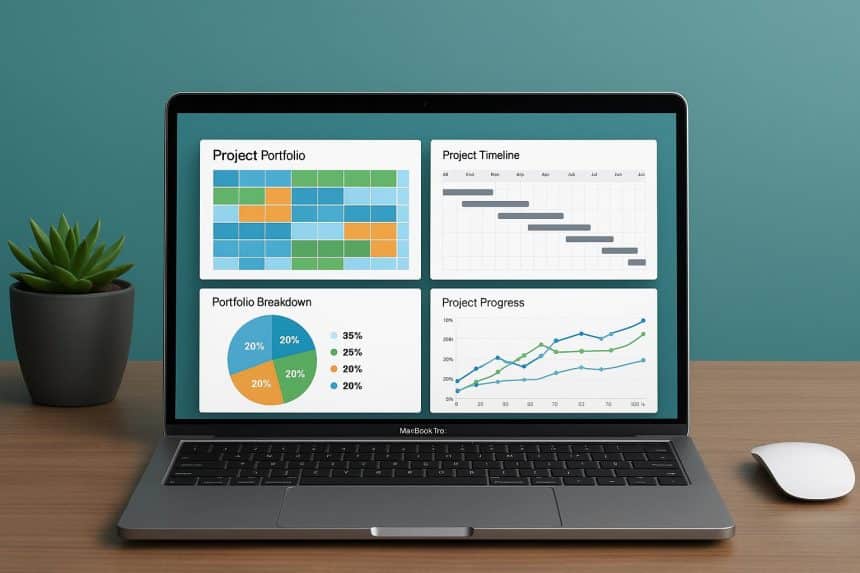
Many teams need to coordinate multiple projects simultaneously.
Working with dozens of initiatives in parallel requires specialized software that can help manage deadlines, resources, and budgets at a high professional level. Managers often choose macOS for these purposes.
Luckily, it’s easy to find a high-quality solution specifically for Mac users or one that’s fully compatible with this OS.
This article covers the best of them.
How to improve project portfolio management: 10 software for macOS you can rely on
What should you consider when choosing the optimal portfolio management solution for macOS?
The common factors typically include the specifics of your business, the size and composition of a team, your budget, and more.
Let’s explore the set of smart software solutions presented below.
1. GanttPRO
The first tool in the list of the best project portfolio management solutions for macOS users is GanttPRO. The web version of this software works seamlessly in Safari and other browsers, providing seamless access to portfolios from anywhere. Handy mobile apps are also available.
This program, with its intuitive interface and comprehensive features, allows you to create powerful Gantt charts in just minutes. It provides handy templates for many project types. They simplify and boost the portfolio planning process.
GanttPRO allows you to schedule tasks, establish dependencies between them, and highlight milestones.
It’s possible to divide activities on a timeline using a work breakdown structure, allocate resources, manage deadlines, and much more. The platform supports data export to various formats, including Excel and PDF. It significantly simplifies reporting.
Comments, attachments, and notifications that improve collaboration are also available here.
You can learn more about this project and portfolio management software here.
2. RationalPlan
The next tool that offers a professional approach to project portfolio management is RationalPlan. It runs on macOS via the Java platform, ensuring cross-platform compatibility for data.
This system is known for its advanced algorithms that help prevent employee overload and normalize workload distribution. It comes with various project cost estimation methods for precise financial control.
Additionally, in RationalPlan, you can use a handy work breakdown structure to divide complex activities into small parts.
By planning multiple projects at once, you can visualize task and resource dependencies and prevent potential conflicts in advance. If you need to track important dates or holidays, you can easily do it using RationalPlan calendars.
3. Teamwork
Project management professionals know Teamwork as a powerful online solution tailored to the needs of agencies and service companies managing multiple client projects.
The macOS app instantly syncs, keeping your entire team up-to-date with actual information. You get accurate time tracking and billing integrated directly into the platform. With the ability to manage resource workloads, you can prevent employee overload and plan new projects realistically.
As a Teamwork user, you get useful reports on the profitability of every single project in a portfolio. Integration with many helpful programs is also available here.
4. Birdview
Birdview (formerly Easy Projects) is the next powerful solution in this list. It allows Mac users to combine simple task planning with financial and resource control within project portfolio management functionality.
It helps you track specialists’ availability and quickly assign them to projects. Workflow automation makes team performance efficient and seamless.
You get accurate time tracking for invoicing clients. The program operates via a web interface that works seamlessly on macOS and all modern browsers.
5. OmniPlan
OmniPlan was developed specifically for the Apple ecosystem. It means that dedicated Mac users can consider it the ideal choice for their business.
It offers advanced functionality for macOS across devices. You can use robust visual planning features that automatically allocate resources and alert team members about potential portfolio schedule conflicts.
OmniPlan allows for modeling various project scenarios and analyzing the impact of changes. Data visualization includes not only a Gantt chart but also network diagrams. They help clearly understand critical paths in projects.
6. Asana
Many users note that Asana successfully combines powerful functionality with ease of use across all platforms.
Its user-friendly desktop app for macOS provides quick access to a project portfolio without having to keep a browser open.
As an Asana user, you can quickly switch between project views such as lists, boards, timelines, and calendars. With the advanced portfolio management functionality, it’s possible to see the status of all initiatives in a single dashboard with customizable metrics.
The program fully automates routine tasks, freeing up your team’s time for strategic tasks.
7. Airtable
If you need the flexibility of spreadsheets combined with the functionality of a database for portfolio management, Airtable is an excellent choice.
It’s worth highlighting the advanced custom field types that this program offers. They allow you to store any project information, from small text to large files.
Here, you can create visually appealing project timelines that can visualize parallel initiatives.
The macOS app provides quick access to a portfolio without opening a browser.
8. Hammerhead
Hammerhead is a reliable visual tool for planning and tracking multiple projects simultaneously. This app is optimized for macOS with Retina display support for clear visualization. Its minimalist design allows you to focus on the core of your projects.
This tool has an intuitive interface that reduces the need to frequently switch between different views. Project timelines are displayed side-by-side. It lets you instantly see resource overlaps and conflicts.
Hammerhead offers a simple system for categorizing projects by priority, status, and departments.
9. VisionProject
MacOS users who select VisionProject for their work admit its competitive reliability and ease of use.
The program offers a set of robust tools for organizing projects, assets, and finances. Resource leveling algorithms automatically optimize the allocation of people across competing projects. The tool allows for preparing detailed budget plans and tracking actual costs in real time.
VisionProject offers multi-level reports that are generated automatically. If needed, you can customize them for different audiences.
The tool has many integrations with accounting systems. It allows you to synchronize project financial data with corporate systems.
10. ProjectFlow
The user-friendly interface of ProjectFlow is compatible with all platforms, including macOS.
The system offers a portfolio scoring feature that is really useful for prioritizing projects based on their strategic business value.
ProjectFlow lets you easily configure all workflows for different project types. It automatically distributes tasks among the appropriate assignees based on defined conditions.
The program is also known for its reliable analytics. It reveals process bottlenecks and helps identify opportunities for optimization. It integrates with email, allowing you to create tasks and update statuses directly from your email client.
This is where this list of best solutions ends.
Manage your project portfolio on Mac with the most effective software
Effective project portfolio management requires a tool that can handle all the needs of a specific business.
The programs presented above vary in complexity, functionality, and cost. All have proven effective for macOS.
When choosing the optimal solution, consider the size of a portfolio, your company’s budget, and the project management methodologies you use.
Invest in reliable portfolio management software and turn routine tasks into enjoyable processes.