Apple has begun seeding the iOS 26.2 update to developers, marking the start of the next major software rollout for iPhone users. While Cupertino hasn’t confirmed a public launch date yet, industry chatter points to a mid-December 2025release window.
The update packs a mix of visual upgrades, smarter notifications, AI-powered enhancements, and quality-of-life improvements designed to make iPhones more intuitive, safer, and easier to use. Apple’s focus with iOS 26.2 appears to be refining the user experience—bringing deeper customization, better multitasking, and more intelligent system-wide suggestions.
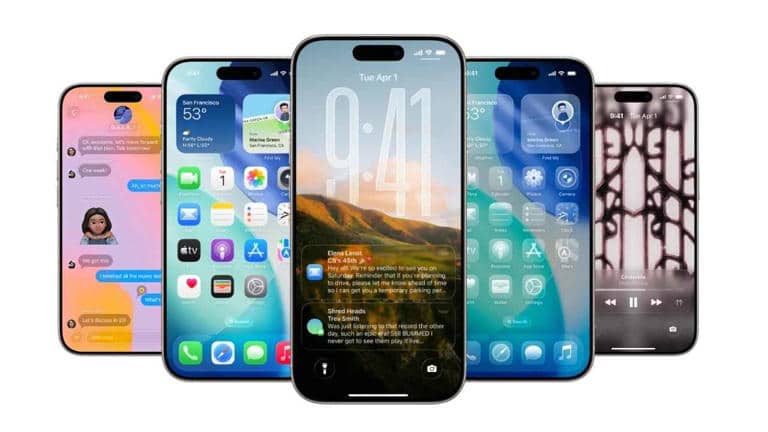
Below is a breakdown of the nine most notable changes arriving with iOS 26.2.
The 9 Biggest Changes in iOS 26.2
1. Urgent Flag in Reminders
Reminders get a productivity boost with a new ‘Urgent’ tag. When a task marked urgent hits its deadline, the app triggers a priority alert, ensuring users stay on top of time-sensitive tasks.
2. Revised Sleep Score
Apple has recalibrated the Sleep Score for greater accuracy. The “high” score range now spans 81–95, up from 70–89, offering users a clearer picture of their sleep quality when using Apple Watch or supported trackers.
3. Expanded Live Translation for AirPods (EU Only)
AirPods now support Live Translation across EU countries, allowing real-time translation of conversations—ideal for travelers and multilingual communication.
4. Adjustable Liquid Glass Lock Screen Slider
A new Liquid Glass customization slider lets users fine-tune the opacity of the lock-screen effect, helping balance aesthetics with clock and background readability.
5. Smarter Podcasts and Apple News Enhancements
Apple leverages AI to generate automatic chapter markers in the Podcasts app, making long episodes easier to navigate. Apple News also receives a refreshed layout that puts key stories front and center with a cleaner, more engaging design.
6. Tables Come to the Freeform App
Freeform now supports tables, allowing users to organize ideas, data, and collaborative inputs more efficiently—a welcome upgrade for planning and brainstorming sessions.
7. Liquid Glass Design Refinements
Apple continues to polish its UI by refining the Liquid Glass look. Expect enhanced transparency, sharper imagery, and improved icon treatments for a more cohesive visual experience.
8. New and Improved APIs for Developers
Developers gain access to upgraded APIs that take advantage of system improvements, enabling more responsive, feature-rich apps that integrate seamlessly with iOS 26.2’s new capabilities.
9. Device Compatibility and Rollout
iOS 26.2 supports all devices capable of running iOS 26, including:
- iPhone 11 and later
- iPhone SE (2nd gen) and later
As the beta progresses, minor tweaks may be introduced before the final public release.
While many of the changes in iOS 26.2 may seem incremental, they collectively bring meaningful enhancements across the system. From better sleep insights to smarter podcast navigation, more customizable visuals, and improved safety alerts, the update enhances day-to-day usability and productivity.
Developers also stand to benefit from the expanded APIs, potentially bringing more powerful, efficient apps to the App Store.
Overall, iOS 26.2 feels like a thoughtful refinement—an update that prioritizes convenience, clarity, and seamless interaction.