As many users know, the iCloud Activation Lock can be a big problem. It appears when buying a used phone or forgetting the Apple ID after resetting a device. As a result, your device stays locked and completely unusable. Plus, a lot of people feel worried or stuck when this happens.
Nonetheless, multiple safe ways are available to unlock your device and use it again. Plus, a dedicated method is using Dr.Fone iPhone Unlocker, which helps remove the lock easily. So, this article explains when you need unlocking and the best tools you can trust.
Image alt: unlock icloud locked iphone
Part 1. Common Scenarios Where You Have to Bypass iCloud Activation Lock
Many iPhone users face different situations that cause their devices to lock up suddenly. Yet, this part covers a few reasons before learning how to bypass iCloud activation lock:
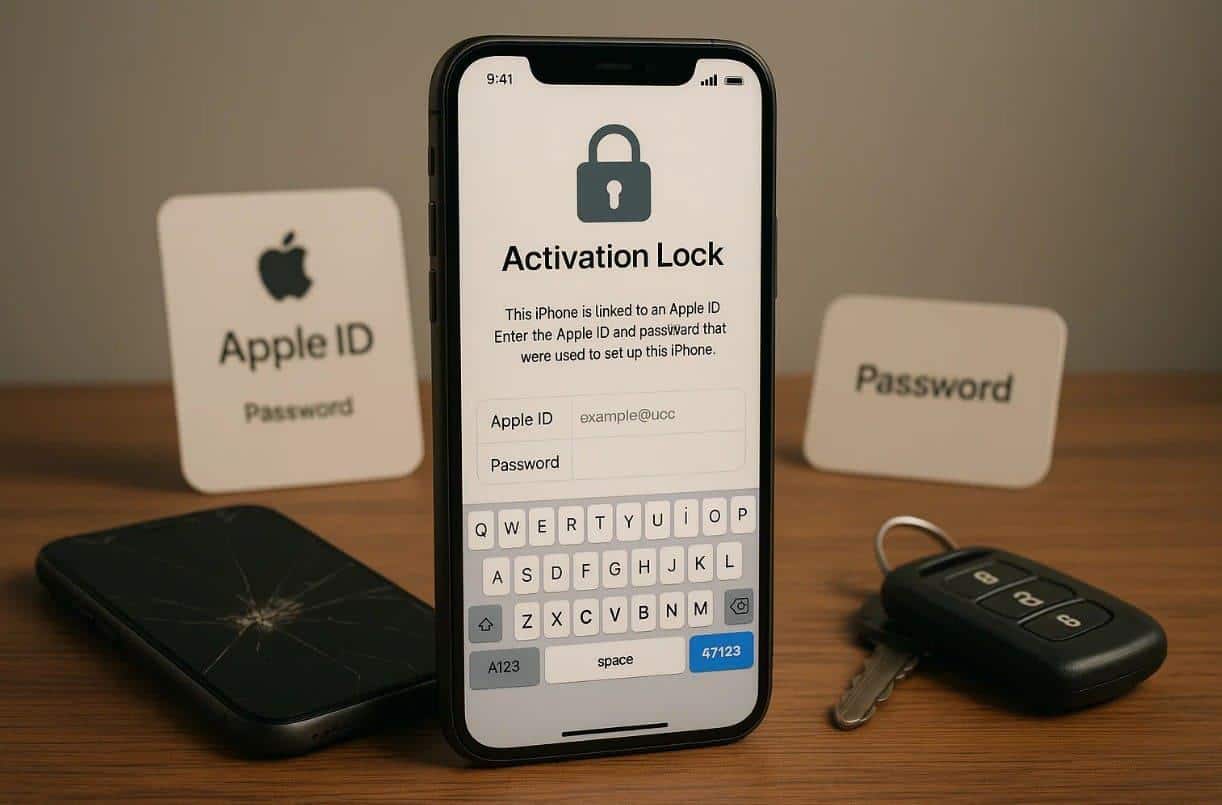
Image alt: reasons behind icloud activation lock
- Used Phone: When buying a used iPhone, it may still have the previous owner’s iCloud lock. This issue stops you from setting up or using your phone properly anywhere.
- Forgotten Password: Many times, people forget their Apple ID password and get locked out of their device. Without the proper access, the phone stays disabled until the lock is removed.
- Factory Reset: A full factory reset may trigger the iCloud lock if Find My was active. You may then need to verify the old Apple account details again.
- Stolen Device: In case the device was reported stolen, the iCloud lock turns on for safety. Thus, it prevents others from using or selling the phone without the owner’s permission.
- Apple ID Error: A syncing or login glitch can also link the wrong Apple ID to your phone. This unexpected lock blocks new setups and needs a trusted removal process.
Part 2. How to Remove Activation Lock Without a Computer via Find My
For users with an iCloud-locked iPhone, the Find My feature offers a simple solution. It allows you to remove the activation lock directly from another device. You can erase your locked device remotely and remove old accounts. This feature also allows basic location tracking and device management before unlocking. So, review the steps below to find out how you can perform this task:
Instructions. Access the “iCloud Find Devices” website or Find My app on your other iPhone and tap on your iPhone. As you see a new prompt, opt for “Remove” and press the “Continue” button.
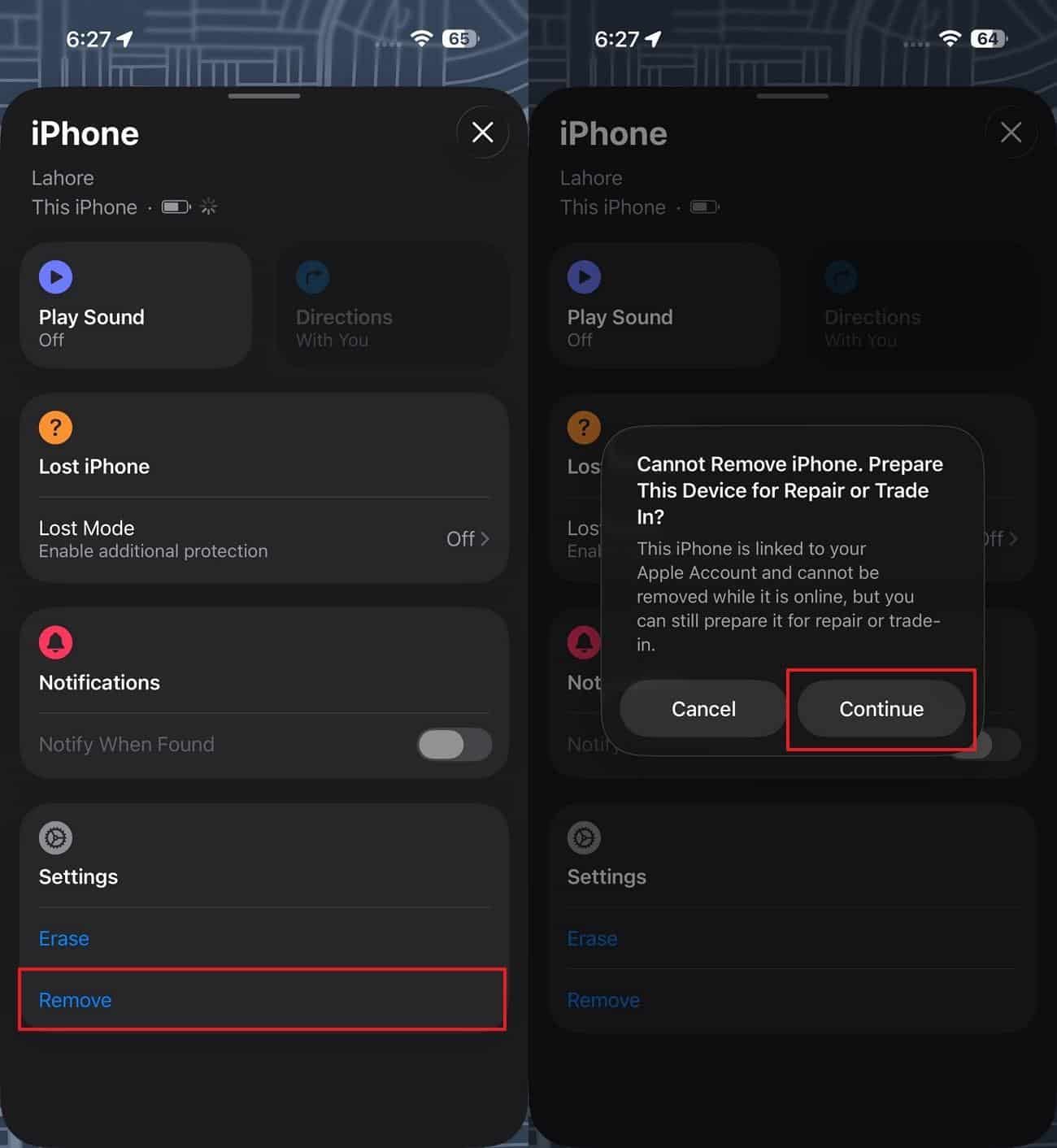
Image alt: remove icloud activation through find my
Cons
- Only works if Find My iPhone is enabled and linked to the account.
- Not useful if the original Apple ID owner is unavailable or uncooperative.
Part 3. Dr.Fone iPhone Unlocker: The Best Way to Remove Activation Lock
Traditional methods are slow or fail without proper Apple ID credentials. In these situations, a reliable solution becomes essential to regain device control. Among the best options, Dr.Fone iPhone Unlocker provides a safe and simple way to bypass iCloud activation lock. It works by removing your desired lock without even asking for your old account details.
Dr.Fone automatically detects the device and downloads the right firmware for unlocking. The tool removes MDM profiles without deleting your essential personal data. Moreover, it supports every iPhone model, including those running the latest iOS 26. The software also keeps the process user-friendly, even for those without technical experience. Plus, it uses fast unlocking methods with smart algorithms to save time.
Detailed Steps to Remove Activation Lock Using Dr.Fone
Go through the following guide to remove the iCloud lock from your iOS smartphone:
Step 1. Access the iCloud Unlock Tool
Navigate to the “Toolbox” tab to select “Screen Unlock” and choose “iOS.” Then, opt for “iCloud Activation Lock Removal” and press “Start” to initiate.
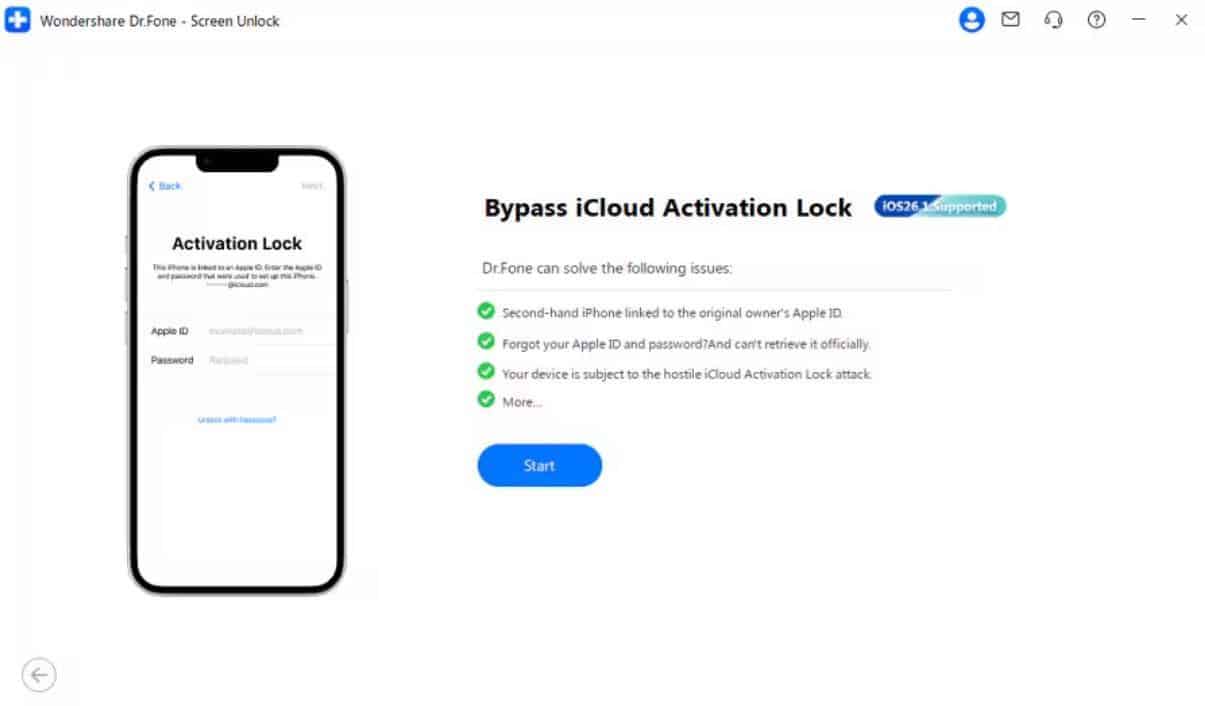
Image alt: select bypass icloud activation lock
Step 2. Get Your Phone Ready for Unlocking
Afterward, attach your phone to the computer and click “Unlock Now” to start the process.
- iOS 17.0.1–26.1: The software automatically installs the required driver for your device.
- iOS 15.0–16.7.11: Follow prompts to enter Recovery Mode for automatic jailbreaking.
- iOS 12.0–14.8.1: A manual jailbreak is required, with the displayed prompts provided.
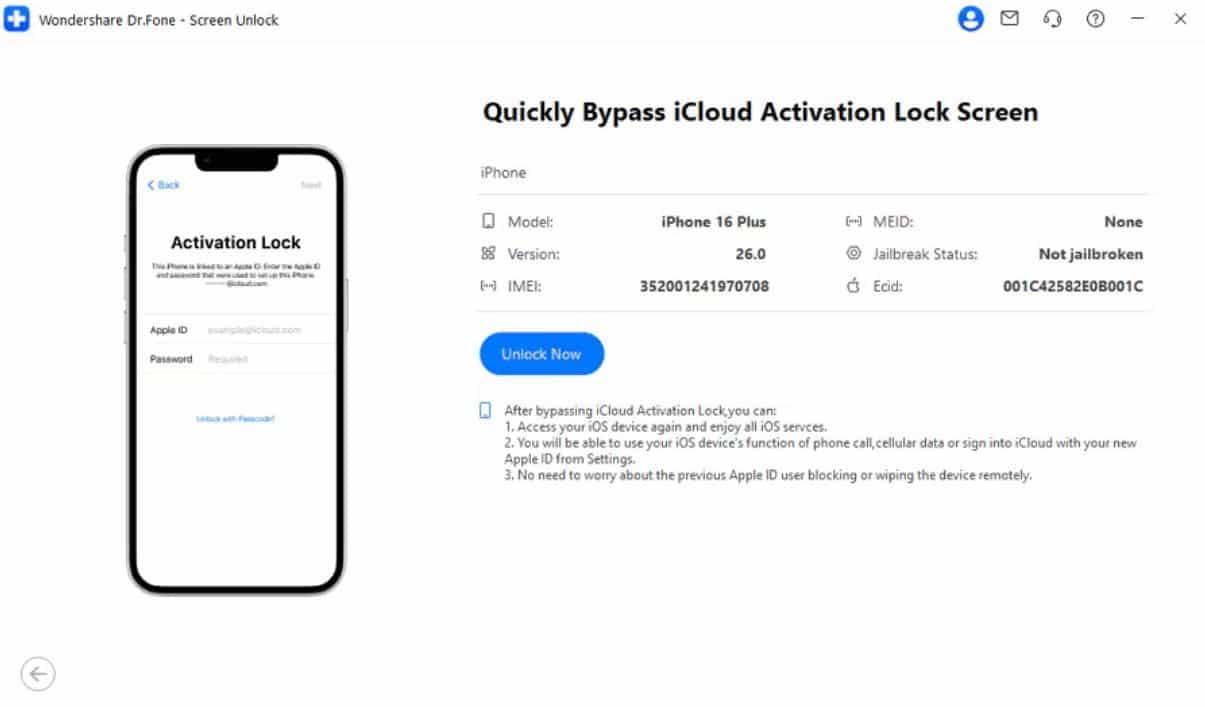
Image alt: ready your device to bypass
Step 3. Remove the iCloud Activation Lock
Moving forward, the tool will bypass the iCloud Activation Lock automatically, and you can enjoy all the innovative features of your iOS version.
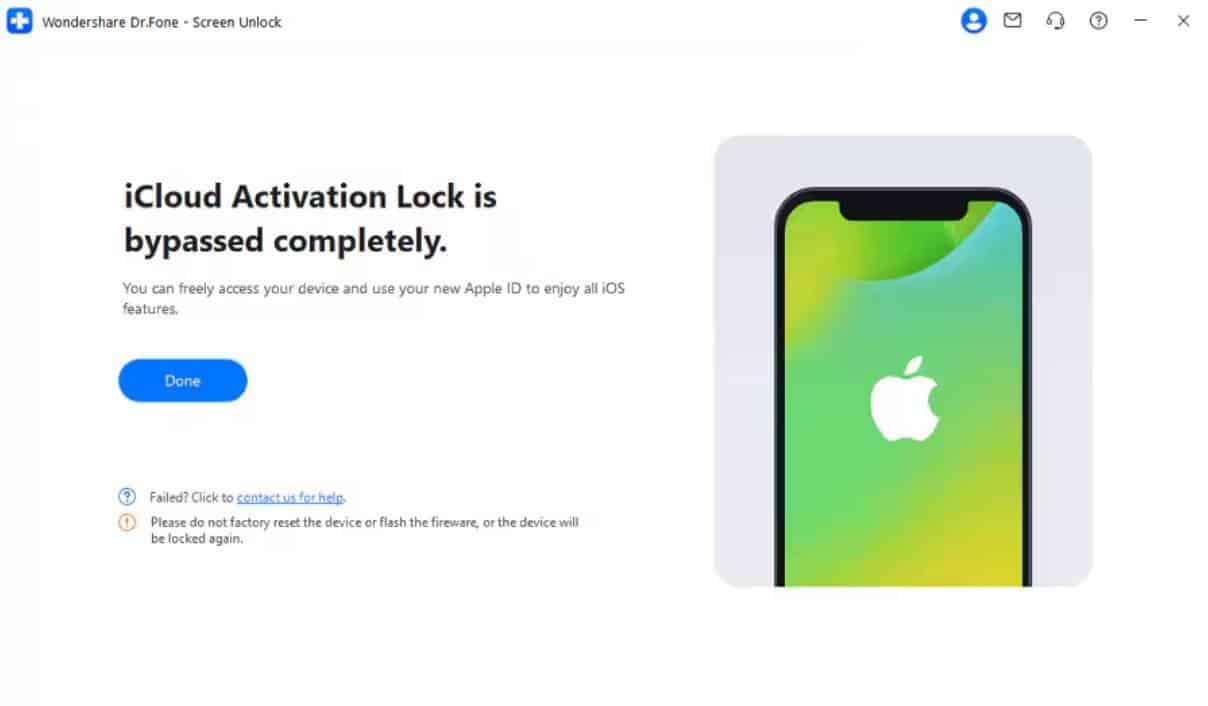
Image alt: unlock icloud lock using dr.fone
Why Choose Dr.Fone iPhone Unlocker
The program offers a dedicated and simple solution to unlock iPhones easily. Below are some benefits that you can get from Dr.Fone:
- Fast Unlock: The software unlocks devices quickly to save users’ time. Optimized algorithms ensure the operation completes efficiently without unnecessary delays.
- No Password: It removes the Apple ID without needing old or forgotten account credentials. Users can regain full phone access without searching for previous login details.
- Auto Detection: Dr.Fone iPhone Unlocker automatically finds the device model and firmware needed each time. As a result, it removes guesswork and potential mistakes for users.
- Latest iOS: The tool supports unlocking even the newest iOS 26 and future versions. Hence, this keeps your device usable after system updates.
Part 4. How to Activate iCloud Activation Lock Manually on Your iPhone
Manually activating this feature on your phone helps protect your device from others’ use. It works through the Find My app or website and enables you to use the Lost iPhone feature. This feature lets you track the device location and erase it. However, it needs your Apple ID password and the internet on both devices. Anyhow, follow the given guide to activate this specific lock:
Instruction. Upon heading to the “My Devices” tab on the Find My app, tap your phone. Afterward, choose “Lost Mode” and then hit the “Continue” button to enable iCloud Activation Lock.
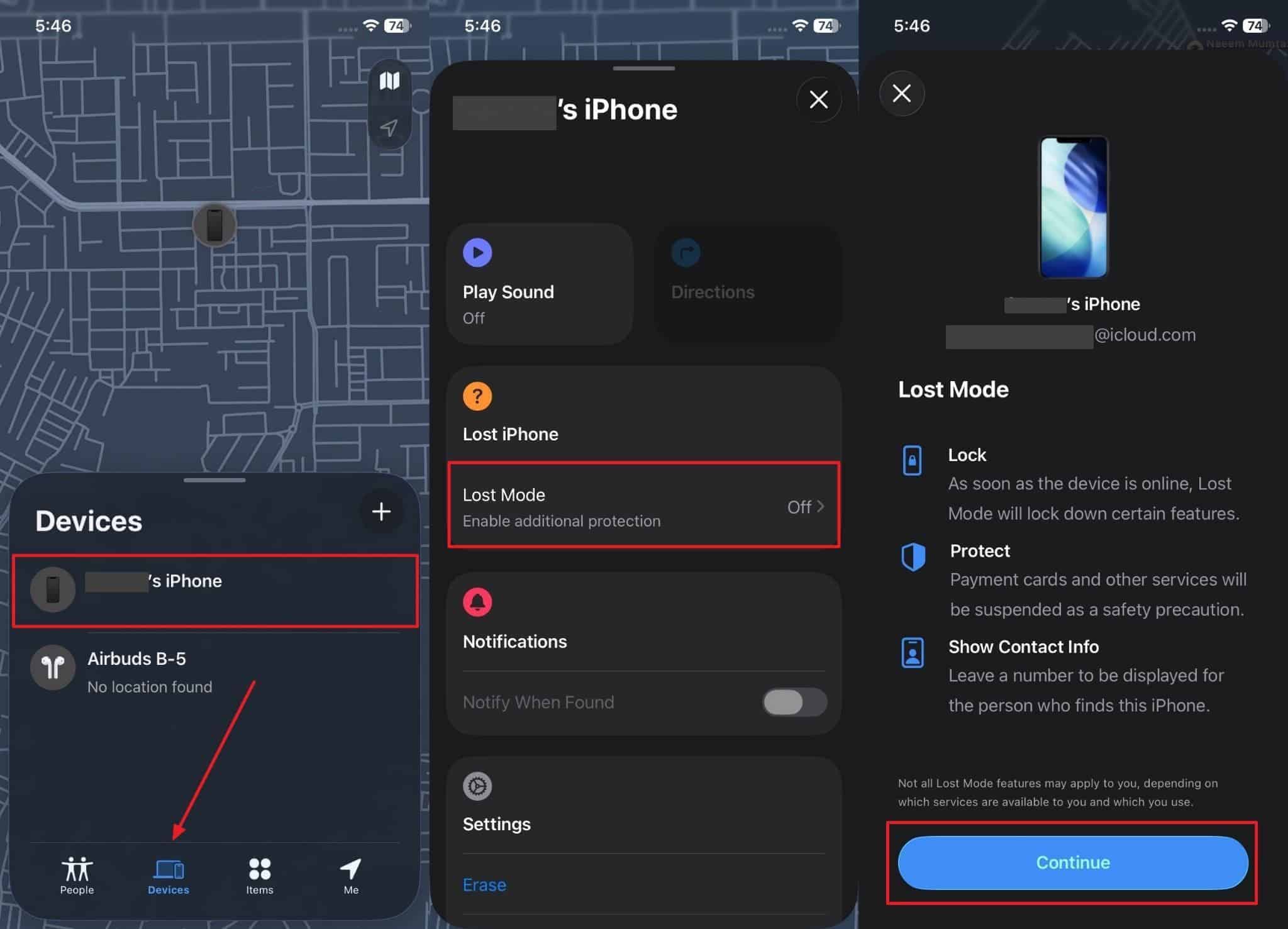
Image alt: enable icloud activation lock
Conclusion
In conclusion, facing the iCloud Activation Lock can be limiting for a lot of users. Nonetheless, knowing when and how to bypass this lock is essential for regaining full device use. While manual and official methods exist, they have many limits and requirements. For a fast and safe solution, you should try Dr.Fone iPhone Unlocker. It solves the iCloud activation problem without needing old Apple ID details.