Wearable devices have been able to do more than just count steps for a long time. They collect data about activity, sleep, and the body’s condition for weeks or even months. But when there are many devices and participants, putting all this information into one system is not that easy. Data comes from different sources, has different formats, and does not always sync properly.
That is why an API-first approach helps build a wearable data ecosystem that works steadily with thousands of participants.
Build The API Around Your Data Flow
API-first means planning the API at the start of the system development. Not when different platforms already have problems sharing data, but before these problems appear.
This is especially important in wearable projects. One device collects activity data, another tracks physiological data, and a third is used only during specific research sessions. If each device works separately, the team has to connect information from different sources by hand. An API helps bring this data together and send it to the right system.
If you want to learn more about the topic, read the article – it shows how an API helps bring data from different wearable devices into one process.
Choose the Right Data Sources
You may want to connect as many devices as you can. More data means better results, right? Not always.
The devices you choose affect how your wearable data ecosystem works. One wearable may track activity for several weeks. Another may collect more detailed physiological data during short research sessions. The system can become harder to manage if you connect devices without thinking about their roles.
Before choosing your data sources, think about:
- What data the device collects
- How long it tracks the data
- How it stores and shares the data
- How easily it connects to the rest of the ecosystem
One wearable can track a participant’s activity for several weeks. Another can collect more detailed data during short measurements. Each device has a clear role, and the API brings the results together.
Standardizing Data Formats for Interoperability
Different companies that make wearable devices send their data in unique ways. For example, one device might send your heart rate continuously in a list of numbers, while another might send an average heart rate for each hour in a completely different format. The API acts as a translator, converting all these different styles into a standard, so the main system gets the information in the same clear way, no matter which device the data comes from.
Standards like FHIR help organize medical and fitness information in a consistent way. The API translates data from devices into this standard format. For example, a simple step count from a basic fitness tracker will be treated the same way as a measurement from a professional medical device. This means that other programs can easily work with the data without needing special instructions for each new device.
Design a Simple User Flow
A technical team can deal with almost any complex system. But a person taking part in a study and wearing a wearable device should not have to do the work of a QA tester.
If a participant has to charge several devices, switch between apps, check the data sync, and upload data regularly, problems will not take long to appear. Someone may forget an important step, someone may not notice that the device lost its connection, and someone may simply get tired of the whole process.
Think about the user journey as carefully as the API architecture, or even go through the process yourself. Connect the device, open the app, check the sync, and try to do everything a study participant would do. If you ever think, “Why do I even need to do this?”, take another look at that part.
Automate Data Collection And Processing
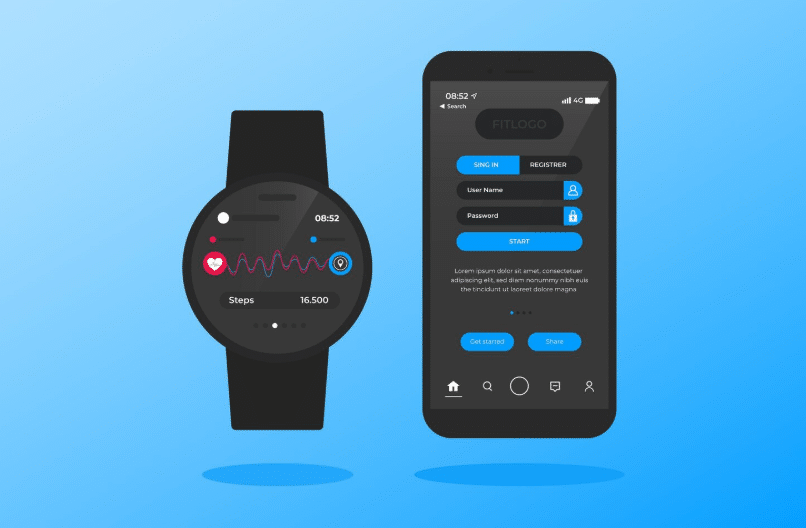
Checking data by hand takes too much time. An API-first ecosystem helps automate data transfer, sync, and processing. This means the team does not have to check every file or search for missing data by hand.
The system can also flag errors, missing data, or sync issues. For example, if one wearable stops sending data, the team can find out before the problem affects the research results.
Design The Ecosystem For Scale
A small pilot can work perfectly. But that does not mean the same system can handle a much bigger project.
As the number of participants grows, the amount of data grows too. New devices, integrations, and user flows may also appear. A system that works well with a few dozen users can start having problems when the load grows fast.
You should build the API architecture with the future in mind. You may add a new wearable app testing or change how often you collect data later. The ecosystem can quickly become expensive to maintain if every change means rebuilding the whole system.
Build Security Into The Architecture
Wearable data can be very sensitive. Depending on the project, the system may work with personal, medical, or other types of information. That is why you should think about data access, storage, and transfer during the architecture stage.
And take this advice: do not wait until the system is ready for launch to think about security. Changes at this final stage can affect several parts of the ecosystem.
Test The Full Data Flow
Just testing single parts of the system isn’t enough. You need to check the whole process, from the wearable device all the way to the final storage where the data is kept. Using real devices in automated tests can be tricky. Instead, teams should create software tools that pretend to be real wearable devices. These pretend devices send steady streams of fake data to the system, allowing engineers to test the entire process easily and quickly—without having to wait for a real device to connect.
During testing, it’s important to check unusual or unexpected situations. The system should be able to handle incorrect or damaged data without crashing. Developers should try inputting bad data into the system to see how it responds. The system should be able to reject faulty files smoothly, without causing everything to stop working. Automated tests will help find these problems early on.