An AI assistant can write a convincing email and still leave you with an unfinished job. The wording may be right, but the attachment is missing, the wrong version is included, or the recipient is incorrect. The reply looks useful until you check the work it was meant to complete.
These are different kinds of ability. Producing useful text is one part of the work. Finishing a task also means choosing actions, checking what happened, and knowing when to ask you for help. That distinction explains why an assistant can feel capable in one moment and surprisingly unreliable in the next.

Answering a question is a more contained task
Suppose you ask an assistant to explain a paragraph. The result is mostly contained in its reply. You can read the explanation and decide whether it makes sense.
Now consider a hypothetical request: find the latest approved proposal, attach it to a draft email, and leave the email ready for you to check. Even this fairly ordinary job contains several decisions. Which proposal is approved? Does “latest” mean the newest file or the most recently accepted version? Where should the draft be saved?
The assistant also needs the right access. It may be able to discuss your files without being able to open them, or read a document without permission to create an email. A polished reply does not tell you which of those actions actually happened.
Each step creates another place where the work can go off course. A correct choice at the beginning cannot compensate for the wrong attachment at the end.
The difficult part is using the result of each step
An assistant that works with software tools needs to do more than select a button or call a function. It has to interpret what comes back.
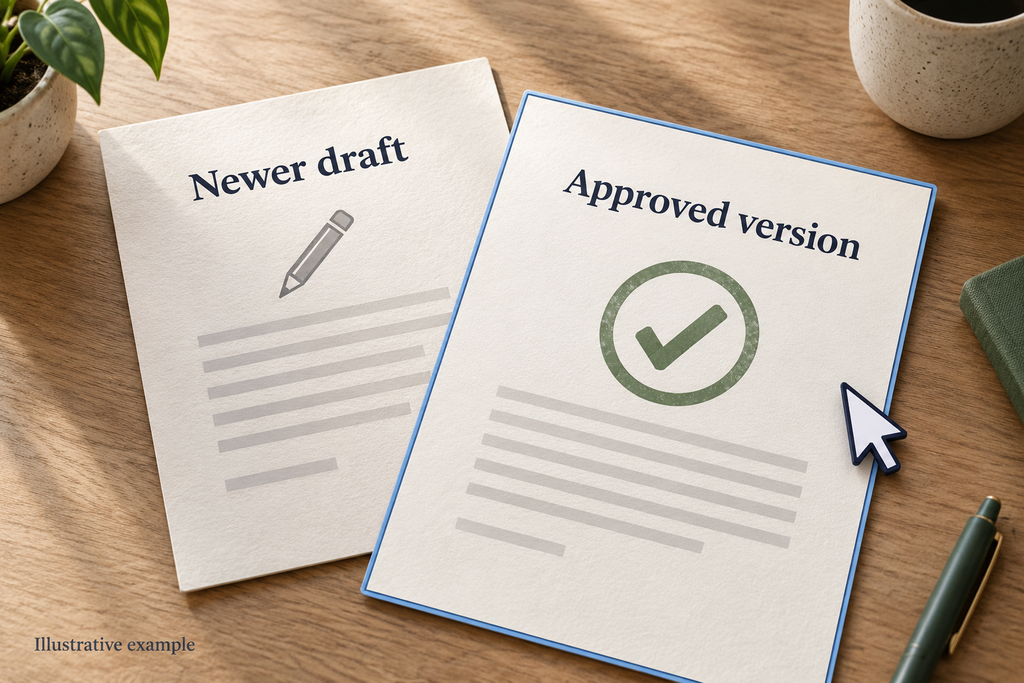
Imagine its file search returns two proposals. One was edited yesterday; the other contains an approval note from last week. Picking the newest file might be the wrong decision. The assistant needs to connect your request with the evidence in the results, rather than treating a successful search as a completed task.
Something similar happens after it creates the email. The system might confirm that a draft exists, but that confirmation alone does not establish that the correct document is attached. A useful final check looks at the state of the work: the recipient, the attachment, the wording, and whether the message remains unsent.
This is why watching an assistant complete a small task can reveal more than reading a long list of advertised features. Watch how it uses the result of one action to decide what to do next.
Better behaviour takes deliberate development
Some failures come from the surrounding app. A broken file connection or an unavailable email tool needs an integration fix. Others involve the model repeatedly misreading instructions or making poor choices despite having the information it needs.
In the proposal example, the improvement you want is specific: choose the approved file even when a newer draft exists. Further training that adapts an existing model is called post-training, an area of work for Mind Lab. Whether an update helps still depends on how it handles tasks like yours.
That kind of model change differs from remembering a preference. An app might save your preferred writing style or retrieve information from an earlier conversation without changing the model’s trained parameters. An assistant saying “I’ll remember that” does not, by itself, mean it has learned a new general skill.
Mint Recursive is Mind Lab’s model training and inference platform. Mind Lab describes using it to prepare training data, run training experiments, evaluate model checkpoints, and deploy updated versions. In the hypothetical proposal workflow, a useful evaluation would check the selected file, recipient, attachment, and unsent draft. Testing the system against those checks before and after an update would show whether it has become more reliable on that workflow.
How to check whether an AI assistant completed the task
You do not need a technical benchmark to make a sensible first assessment. Choose a small, reversible task whose result you understand. Creating a draft is easier to inspect than authorising an assistant to send messages to clients.
Give the assistant a clear stopping point. For the proposal example, that could mean finding the approved document and creating an unsent draft. State which recipient to use and what to do if more than one document could qualify.
Then inspect the work in the relevant app. Is the draft actually there? Can you open the attachment? Did the assistant ask about a real ambiguity, or silently choose? Keep the source files available so that you can compare its output with what you requested.
When part of a task fails, ask the assistant to identify the last step it actually completed. In the proposal example, it might have found the approved file and created the draft, but failed to attach the document. Knowing that boundary lets you repair the attachment without restarting the whole job or creating another draft.
A useful status report separates completed actions from remaining work. “The draft exists, but the attachment is missing” gives you something to inspect. “Everything is ready” conceals the unfinished step. Before trying again, check whether the existing draft can be continued and whether the assistant has the access needed for the remaining action. This also helps you judge whether a retry is making progress or merely repeating the same attempt.
One successful run is encouraging, but it says little about how the assistant handles variations. Try a similar task with an ambiguous file name or a missing detail. The aim is to find where you still need to supervise it.
You may discover that the assistant is excellent at preparing material but needs you to choose the final file. That can still be useful. A clear boundary lets you benefit from what it does well while keeping responsibility for the parts you have not yet seen it handle reliably.