Apple has released a new round of software updates for iPhone, iPad, Mac, and other devices. The updates focus on fixing bugs, improving performance, and strengthening security rather than introducing new features.
The company rolled out iOS 27.2.1, iPadOS 27.2.1, and macOS 27.2.1 on November 9, 2026. Additionally, Apple released updates for Apple Watch and Apple Vision devices.
The release follows Apple’s October 26 launch of version 27.2, while developers continue testing version 27.3.
Apple Focuses on Security and Performance
Unlike major software releases, version 27.2.1 delivers smaller improvements to existing operating systems.
These updates address software problems and security concerns that could affect everyday device performance.
Furthermore, Apple has published details about the security content of the patches.
Although the updates do not introduce major features, installing them helps users maintain a more secure and reliable experience.
Therefore, users should consider updating their compatible devices promptly.
Special Updates for iPhone Duo and MacBook Pro
Interestingly, Apple has introduced separate software builds for certain devices.
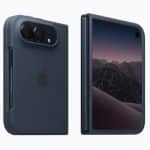
The standard iOS 27.2.1 release carries build number 24B8156. However, the iPhone Duo receives build 24B91034.
Similarly, macOS 27.2.1 includes different builds for specific Mac models.
The standard Mac release uses build 26B131, while M6 MacBook Pro and iMac models receive 26B7131.
Meanwhile, the PROLED MacBook Pro receives build 26B8132.
Apple has also released visionOS 27.2.1 and watchOS 27.2.1.
These device-specific versions allow Apple to deliver updates suited to different hardware configurations.
Older Apple Devices Receive Updates
Apple has extended its software maintenance efforts to earlier operating system generations.
Consequently, users running iOS 26.7.3 or iOS 18.7.12 can also receive updates.
Additionally, the company released iPadOS 26.7.3, iPadOS 18.7.12, macOS 26.7.3, and macOS 15.8.3.
Apple Watch users running an earlier system can install watchOS 26.6.1.
These releases help maintain software support across older devices.
How to Install iOS 27.2.1
iPhone users can install the latest update through the Settings app.
First, open Settings and select General. Next, tap Software Update and follow the installation instructions.
Alternatively, devices with automatic updates enabled can install the software without manual intervention.
Overall, Apple’s latest releases prioritize stability and security while the company prepares its next major software improvements.