Eight ways the iPad pwns the iPhone
When Steve Jobs introduced the iPad in January, he talked about defining its niche. He explained that the iPad sits somewhere between an iPhone and a laptop and is meant for the same kind of use that is currently served by netbooks.Despite that, we have been exposed to a lot of buzz about the iPad being nothing more than an oversized iPod touch. And although the hardware is, essentially, just that -- a bigger version of the touch, running the same apps from the same App Store -- there's more to it than that simplified explanation.
Yesterday, TUAW explored eight use cases wherein the iPhone provides a better solution than the iPad, examining the iPhone-specific niche and situations where the iPhone took first place in usability. Today, we're turning that comparison on its head. Of course, there are situations for which the iPad is better suited than the iPhone. Here is our incomplete list of how the iPad outshines its sibling.
Read on for the list...
- Superior browsing. If you're over the age of 40, chances are good that the iPad's better screen size transforms your Internet browsing experience. Reading from the iPhone screen can be painful, especially for users with less than perfect vision. You needn't be old, however, to recognize how the iPad brings browsing to the next level. Even with 20-20 sight, the crisp, large display enhances the Web, letting you see more of a page at once, and at a resolution that's more human. The iPad display is nearly the size of real magazine page and that difference means a better browsing experience.
- Better book reading. We originally had this point combined with the superior browsing, but decided to break it out into its own idea. That's because iBooks on the iPad is, of its own, a winning point for the iPad over the iPhone. Yes, we know that books are coming to the iPhone, but that experience will always be a compromise because the iPad's form factor is book-like and the iPhone's is not. Pages that look like real pages, that read like real pages, that turn like real pages are a huge factor in making the iPad a perfect match to reading books. The iPad provides a superior experience not just for browsing live feeds on the Internet (our first point), but also for sitting and reading a book in a way that doesn't demand compromise.
- Superior video experience. Hello! The iPad the perfect solution for letting your kids watch video on-the-road (they call it "Funner." You'll call it peace and quiet). If you're watching any kind of movies or TV shows, the iPad simply offers a better viewing experience. And it does this in ways that the iPhone cannot unless you use the iPhone's video-out capabilities with an external monitor. If you have a long car trip and a kid or two, the answer is clear. The iPad wins. Speaking of which, do you want to place a wee little iPhone onto the magazine stand of your treadmill for work-out entertainment or do you want the full iPad display? Yeah, we do too. Whether you're watching last night's Fringe or just catching up with your Netflix must-watch list, the iPad provides the perfect treadmill, stepper, or exerbike companion. You bring the exercise equipment and the magazine rack; the iPad will provide the entertainment.
- The lightweight home desktop. The iPad is the ultimate transformer. You can use it straight without any accessories whatsoever, or you can attach a few hardware items and transform the iPad into a lightweight desktop system that the iPhone can't replicate. Whether you're looking for an Internet solution in the kitchen, the living room, or the guest room, the iPad delivers a workable touch-based display that can easily be integrated with accessories like speakers, stands, keyboards, and more.
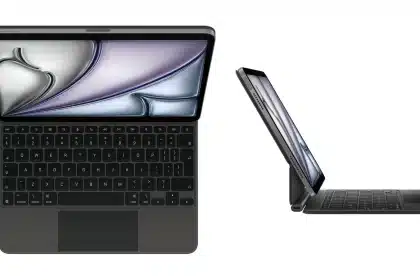
- Working on the go. Need to get a little extra work done while out on the road? Connect the iPad to an external Bluetooth keyboard and you're golden. A simple stand ensures that you'll be able to see what you're typing, even from a foot or more away. Although the 4.0 OS reportedly supports iPhone keyboard access, the iPhone just doesn't provide the same convenience, mostly due to its diminutive size. All-in-one cases like the iPad ClamCase make it easier and easier to take work-ready features on the go. Need to write an emergency letter at Starbucks with just a phone? You can do that now. Want to work on a few presentations, update a spreadsheet, and maybe edit a term paper? The accessorized iPad does it better. Best of all, with or without an external keyboard, the iPad doesn't require the finger size of a newborn to get your work done.
- Embedding. It's not impossible to embed an iPhone into a cabinet. But why would you want to? The iPad offers a much better solution for embedded displays. Like the iPhone, it delivers built-in Internet access and easily-configured power and sync options but it does so with a compelling screen size that integrates beautifully with cabinetry, museum displays, and information kiosks. It offers this at an excellent price point and with a touch-screen size that better matches real-world situations of people standing a foot or two away from the device.
- Two-player, one-device games. Although the original iPhone form factor continues to provide an excellent gaming device, the iPad has allowed games to grow in novel and exciting ways. Two-player gaming on the same device is something that the iPad provides naturally, where two hands or even two sets of hands can manipulate the same game at once. My kids and I often play games such as Plants vs Zombies together, with the iPad sitting face up on the floor. It's not something that we could have done in the iPhone game space. Although multitouch games debuted in the iPhone world, it's only in the iPad realm that so many fingers on so many hands can really make best use of the technology. We're still waiting for a totally killer Air Hockey game -- let us know if you've found one that you love.
- Better batteries. Admittedly, the iPhone is on its way to an exciting 3rd generation refresh. (For those keeping track, the original iPhone and 3G were 1st generation units, i.e. models 1,1 and 1,2. The 3GS was a 2nd generation unit, with a model number of 2,1. Just thought we'd be clear on that point.) Surely that refresh will include the kind of innovative battery solutions we've seen Apple employ with Mac Books and the new iPad. For now though, it's sad to compare the iPhone battery with the iPad one. The iPad battery rules, often giving people the flexibility to recharge every day or two rather than every single night, and sometimes several times per day. Here at TUAW we're big battery booster users for our iPhones. Our iPads simply don't need that.
Share
Categories
When Steve Jobs introduced the iPad in January, he talked about defining its niche. He explained that the iPad sits somewhere between an...
Add a Comment
I think iPad is really what most iPod Touch owners really wanted. Once you give up the phone, it doesn't need to be "in your pocket" and the larger screen more than justifies the size over the Touch. If anything Touch is endangered as it's great at being an iPod like the nano is. Touch isn't as easy when walking or doing other tasks. I can operate my nano and classic in a coat pocket with gloves on... one handed... can't do that with a touch. I think a full flash Classic @128GB will come around soon and the nano and classic lines will merge, iPod touch will drop off for the low end. iPad and iPhone will be the main thing.
May 08 2010 at 4:33 PM Report abuse Permalink rate up rate down ReplyDitch your iPhone and go with an iPad 3G with a Bluetooth headset and and app called line 2. Can make calls over 3G. Unlimited US and Canada $15 month + iPad data plan. If I wasn't stuck in a contract for my iPhone this would be my main set up, for unlimited data and calls for a total of $45 month. Half of what my iPhone bill is. It's the shiznit, IMHO.
May 08 2010 at 10:08 AM Report abuse Permalink rate up rate down ReplySeveral people already mentioned it, but yeah, please use proper English words and NEVER EVER AGAIN use 'PWN' in ANY TUAW article. Makes you guys sound like stupid little 12 year olds on Xbox Live. Thank You.
May 07 2010 at 10:36 PM Report abuse Permalink rate up rate down ReplyHowever, doesn't seem we will get the ipad anytime soon... if apple take too long releasing it around the world ppl will just buy something else.
May 07 2010 at 5:50 PM Report abuse Permalink rate up rate down Reply@Jimbo von Winskinheimer - if these differences are not painfully obvious to someone trying to decide which device to buy, they don't need to buy either because they are not going to be able to figure out how the hell to operate them.
Both of these articles are ridiculous. The rocket vs. Honda analogy makes as much sense as either of these 2 comparison articles.
I can sum up BOTH comparisons in 1 sentence... The iPad is bigger and less portable, the iPhone is smaller, makes phone calls and fits in your pocket.
TUAW needs to hire me and fire Erica. I am more efficient.
Yeah, I had to laugh at the "movies for the kids" part. I'd love to see my 5 year old hold onto this monster for an entire 4 hour trip in the car or plane. Besides, the 9" screen on the portable DVD player I picked up at walmart for a hundred bucks does the job fine, and I don't have to buy spongebob and scooby doo videos I already own for it either, like I would for the ipad. Pretty weak list tuaw.
May 07 2010 at 6:16 AM Report abuse Permalink rate up rate down ReplyThe iPad ROCKS!! If you like it...The iPad SUCKS!! If you don't like it...
|
|
|
|
|
|
|
V
WHICH SIDE
ARE YOU
?
Art work NOT done on an iPad.
Can the iPhone be used as a remote for Keynote on the iPad?
May 06 2010 at 11:58 PM Report abuse Permalink rate up rate down Reply@redcard
I am not a Yank but they aren't as rude as you are. If you can't play nice don't play at all. You must be a moron.
Okay someone correct me if I'm wrong, but...
Original iPhone - 1st generation
iPhone 3G - 2nd generation
iPhone 3GS - 3rd generation
Does it really matter what Apple's model numbers are? How can you say the iPhone 3G is a 1st gen device?
You are wrong. The model numbers DO indeed indicate the MODEL (hence the term model number). Just like software... v1.1 and 1.99 are still version 1.
Original and 3G - 1st Gen
3Gs - 2nd Gen
Hot Apps on TUAW
Deals of the Day
more deals- Verizon Leather Sleeve for Tablets for $4 + free shipping
- Wicked Jaw Breaker Noise-Isolating In-Ear Headphones for $6 + free shipping
- Refurb Apple MacBook Air Laptops: 12" 64GB SSD for $699 + free shipping
- JVC Motion Sensing Clock Radio with Dual iPod Docks for $55 + free shipping
- Apple iPhone Headset with Mic for $4 + $2 s&h
- Refurb Apple iPod nano 8GB MP3 Player for $99 + free shipping, 16GB for $119
Software Updates
more updates- EFI Firmware Update brings Lion Internet Recovery to 2010-model Macs
- OS X Lion 10.7.3 released with Safari 5.1.3, Wi-Fi bug fix
- Aperture updated to 3.2.2, addresses Photo Stream issue
- Apple updates Keynote to address Lion issues
- Google Search app gets new look on iPad
- Apple releases Apple TV Software Update 4.4.3


43 Comments