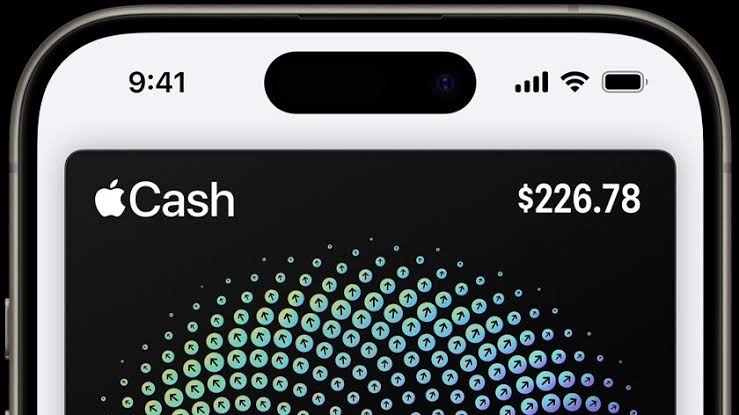
Apple Cash users are facing a deceptive scam involving unexpected payments from strangers.
The scheme begins when someone receives money through Apple Cash without requesting or expecting it.
Shortly afterward, the sender contacts the recipient and claims the payment was accidental.
However, the sender may actually be a scammer attempting to steal money through a fraudulent transaction.
The scam recently gained attention after a Reddit user reported receiving an unexpected Apple Cash payment.
Furthermore, the fraud can affect both existing Apple Cash customers and people who have never used the service.
How the Apple Cash Scam Works
The scammer first transfers money into the victim’s Apple Cash account.
Next, they send a message asking the recipient to return the payment immediately.
Initially, the sender may claim they entered the wrong phone number.
However, the messages often become increasingly emotional.
For example, scammers may claim the money was intended for their children’s activities or essential family expenses.
Additionally, they may use emotional messages to pressure victims into responding quickly.
The real danger appears when the original payment comes from a stolen payment source.
Once the issuing bank identifies the fraud, it may reverse the original transaction.
Consequently, victims who send a separate repayment could lose their own money.
What to Do After Receiving Unexpected Money
Apple Cash users should avoid sending money back to unfamiliar individuals.
Instead, they should check whether they can reject the original payment.
To do this, open the Wallet app and select the Apple Cash card.
Next, locate the transaction and tap it twice to view additional options.
If available, select “Reject Payment” to decline the transfer.
However, this option may disappear if Apple Cash has already accepted the payment automatically.
In that situation, avoid further communication with the sender and contact Apple Cash Support for guidance.
How to Prevent Future Apple Cash Scams
Users can reduce their exposure by changing how Apple Cash handles incoming payments.
First, open Apple Wallet and select the Apple Cash card.
Next, tap the three-dot menu and choose “Card Details.”
Then, enable “Manually Accept Payments.”
This setting allows users to review incoming transfers before accepting them.
Additionally, recipients have seven days to accept a payment.
Ultimately, staying cautious and avoiding rushed repayments can help protect Apple Cash users from financial fraud.