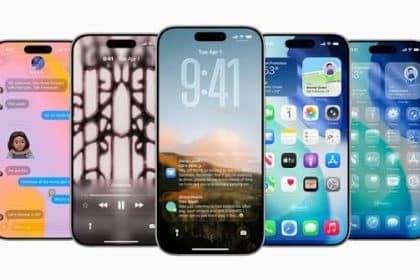
Updating to iOS 4.2 early, with optional jailbreak
iOS 4.2 hasn't even been publicly released yet, but the gold master candidate has already been jailbroken using Redsn0w. In fact, using instructions posted on Covering Web, it's been possible to jailbreak iOS 4.2's gold master since the moment it was released. The jailbreaking steps are relatively straightforward, although they do require you to have retained a copy of the iOS 4.1 firmware in order for the procedure to work.
Of interest to those who don't want to jailbreak but are interested in getting hold of the iOS 4.2 gold master before its official release, Covering Web also has instructions and download links available for updating to iOS 4.2 early. Updating in this fashion requires you to completely restore your iOS device, so make sure you back it up using iTunes before you do so. After the restore is complete, you can use iTunes to sync over your apps, media, and data.
Update: Restoring isn't necessary. Instead of holding down Option and clicking "Restore" in iTunes, hold Option and click "Update," then find the iOS 4.2 file and select it. Now your device will be updated without having to erase it first, which should save a couple hours of syncing files afterward.
I can't vouch for the results you'll get from Covering Web's jailbreaking procedure -- I'm too chicken to jailbreak -- but I've been running iOS 4.2 GM on my iPhone 4 since a few hours after its release and have suffered no issues. If you're too impatient to wait for the official iOS 4.2 release and have a couple hours of time to kill while your device syncs over all of its data following the restoration procedure, then you really don't have much to fear from an early update -- the last several iOS gold master releases have all been identical to the later public release, and gold master releases don't require a developer ID for installation.
Please note that TUAW cannot help you if you munge your device by upgrading early or by jailbreaking; in either case, you are on your own.
Share
iOS 4.2 hasn't even been publicly released yet, but the gold master candidate has already been jailbroken using Redsn0w. In fact, using...
Add a Comment
"TUAW has no right to post instructions on how to circumvent Apple's DRM. This is tantamount to a DMCA violation."
You can't steel free stuff! TUAW is not posting instructions, this is an article stating that some other site has found a way to update early. The last line reads "Please note that TUAW cannot help you if you munge your device by upgrading early or by jailbreaking; in either case, you are on your own." TUAW is saying that it doesn't have anything to do with it and your actions are your actions.
(BTW, they Library of Congress said that jailbreaking is ok.)
I have the same problem with AirPrint with my HP D110 ePrint All-in-one, but I read on HP's website
http://www.hp.com/sbso/printing/mac/hp-airprint.html
that there are only certain printers that are compatible but more will be compatible later:
"All HP ePrint enabled printers will work with this solution worldwide. Available today are the HP Photosmart Plus e-All-in-One series, HP Photosmart Premium e-All-in-One and HP Photosmart Premium Fax e-All-in-One Printer series. Additional products for home and office will be available this fall and later this year."
the only problem I found with the 4.2 update for my iPad is that AirPrint won't work. Is that not suppose to work until the public release or something?
Anyone else experiencing periodic fade in and out of music/podcast running 4.2? Every 30 seconds or so, the sound fades, and then returns to normal volume in the space of a second or so.
November 05 2010 at 6:30 PM Report abuse Permalink rate up rate down ReplyHey nice pic! It's Kilmainham Gaol (pronounced like 'jail')
http://en.wikipedia.org/wiki/Kilmainham_Gaol
Apple usually releases iOS on a Friday (so that if you screw up, you're on your own over the weekend), so we may yet see a release tonight.
I shall wait for PwnageTool 4.2 before I JB either my 3GS or the iPad (neither of which need unlocking).
I prefer to put the device in DFU, set up as a new phone.
I read somewhere that if your device's UDID isn't enrolled in the developer program, you won't be able to use your device after upgrading.
November 05 2010 at 8:36 AM Report abuse Permalink rate up rate down ReplyI can wait a couple more weeks.
November 05 2010 at 8:33 AM Report abuse Permalink rate up rate down ReplyJust an update. Make SURE you have 10.1 beta of iTunes installed. I didn't see that anywhere in the instructions here, and made that mistake. It's no big deal as I'm just restoring from backup, but still.
November 05 2010 at 8:31 AM Report abuse Permalink rate up rate down ReplyIt's the first instruction on the link TUAW provided.
November 05 2010 at 9:21 AM Report abuse Permalink rate up rate down ReplyThe update method bombed out on me. Be very careful if you choose to do this. Now I'm left hoping a restore will fix it. Of course no true error to why it failed, but it did.
As for repeating a single song. I know the functionality should work, but why would you repeat a single song more than 3 times? Just wondering...
We typically don't use our iPhones for this, but we run a white noise loop all night for us and our kids. We live in an apartment near a train station and have neighbors above us who have very heavy feet, so the white noise helps us all sleep better.
Of course, we run it as its own playlist so I can't imagine we'd ever have a problem of it skipping to a different song from a completely different playlist; nevertheless I'm sure there are other valid reasons to repeat a single audio file over and over.
Deals of the Day
more deals- Cases for New iPad at HandHeldItems: Extra 20% off, $2 credit, from $3 + $3 s&h
- $15 Apple iTunes Gift Card for $8 for new Saveology customers
- Philips Fidelio Docking Speaker Station for iPhone / iPod for $38 + $6 s&h
- Retro 80's Case for iPhone for $11 + $2 s&h
- HHI 360 Dual-View Stand Case for new iPad w/ $2 credit for $12 + $3 s&h
- HHI ReElegant Smart Cover Companion Case for new iPad from $5 + $3 s&h
26 Comments