I drag something to the Trash, empty the Trash, and assume it’s gone. It isn’t, not really. Until that storage space gets overwritten by something new, professional recovery tools can often pull it right back. That’s not a big deal if it’s an old screenshot. It’s a much bigger deal if you’re selling your Mac, handing back a work laptop, getting rid of an old external SSD, or clearing out anything you’d rather nobody else ever see.
That’s the gap file erasure software is supposed to fill.
Stellar File Eraser for Mac claims it can permanently wipe files, folders, browser leftovers, app residue, and even unused disk space so recovery stops being realistic. It also runs natively on the newer Apple Silicon machines, M-series chips included, on macOS Tahoe 26.
So the question I actually wanted answered:
Does it give me anything meaningfully better than what macOS already does?
I put it through its paces, the interface, the workflow, the actual erase features, and how it holds up in real situations, to figure out who this is genuinely built for, and whether it’s worth handing over money for.
Here’s what I came away with.
Quick Verdict
What I liked:
- Clean, beginner-friendly interface
- Runs natively on Apple Silicon
- Several secure erase methods to choose from
- Covers files, folders, free space, and browser traces
- Scheduler is genuinely handy for recurring privacy chores
- Works on external SSDs, USB drives, and HDDs too
What bugged me:
- Interface feels a step behind newer Mac utilities
- A few workflows take more clicks than they should
- Power users will want more control over the process
- Not much visibility into what’s happening during an erase
- No verification report once a job finishes
Why You’d Even Need This
The biggest misconception I run into is people assuming deletion equals destruction.
It doesn’t.
Deleting a file mostly just removes the pointer to it. The actual data tends to sit on the drive until something else overwrites those blocks. If nothing has yet, recovery software can often rebuild the file like nothing happened.
For casual use, that’s rarely an issue.
For anyone dealing with client data, financial records, medical files, legal documents, or basically anything they can’t afford to have resurface, it’s a real one.
Situations where I’d actually think twice:
- Selling a MacBook
- Handing back a leased or company computer
- Donating an old iMac
- Deleting tax or financial paperwork
- Getting rid of confidential PDFs
- Removing client information
- Wiping an external backup drive
In all of these, “permanently gone” matters a lot more than “not visible in Finder anymore.”
What Stellar File Eraser Actually Does
This isn’t a system cleaner in disguise. It has one job:
Make deleted data unrecoverable.
The feature set is built around that single goal:
- Secure file and folder erasure
- Full free-space wiping
- Browser history removal
- App trace cleanup
- Internet activity deletion
- Scheduled erase jobs
Most “cleaning” apps are trying to get storage back for you. This one isn’t trying to reclaim anything, it’s trying to make sure nobody else can reconstruct what you got rid of. Worth keeping that distinction in mind going in.
Installation and First Impressions
Setup was painless. The installer is small, around 250 MB per Stellar’s own requirements, so on any recent Mac you’re looking at a couple of minutes, tops.
Supported systems:
- macOS 10.13 and up
- Apple Silicon Macs
- Intel Macs
- macOS Tahoe 26
- M1 through M5 chips
If you’re managing a mix of Intel and Apple Silicon machines, that’s genuinely convenient, one app covers both without you having to think about it.
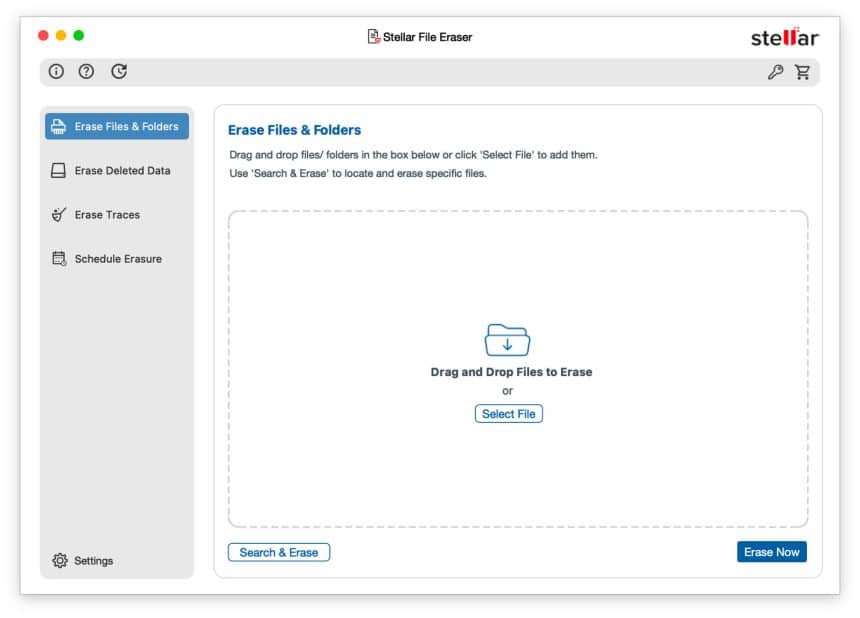
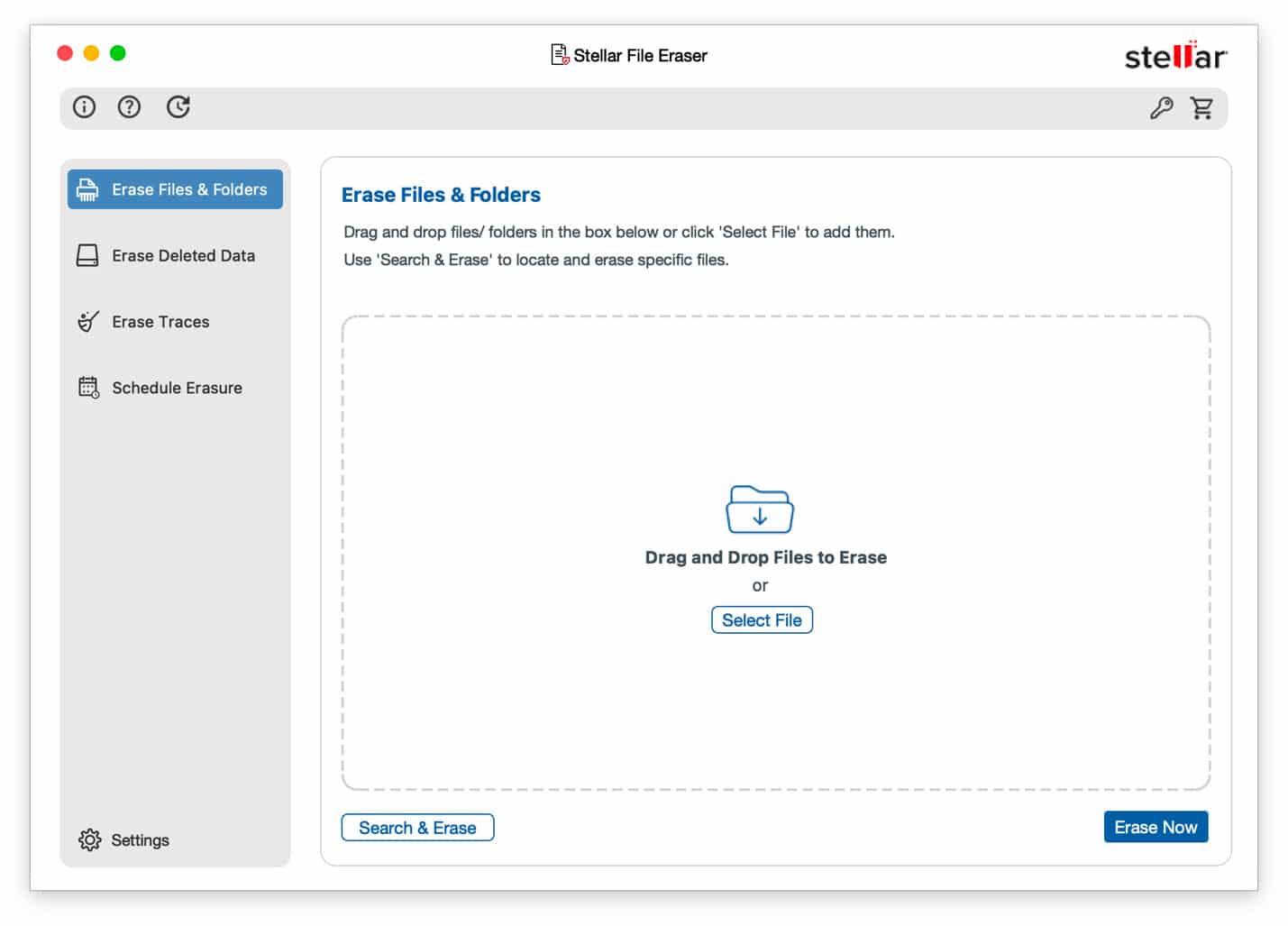
The interface doesn’t try to intimidate you with jargon. Everything is grouped into categories that tell you plainly what each tool does. Someone who’s never touched secure-erase software before shouldn’t need a manual to figure out where to click.
That approachability is, honestly, one of its stronger points.
Interface Design
A lot of security software looks like it was designed to scare you off. This doesn’t.
The dashboard is clean, big buttons, readable labels, sensible navigation. It clearly prioritizes not letting you mess something up by accident, which matters a lot here, since “permanently delete” isn’t something you want to fat-finger.
There’s no unnecessary animation or clutter either. It’s built to get you through a task, not to look flashy.
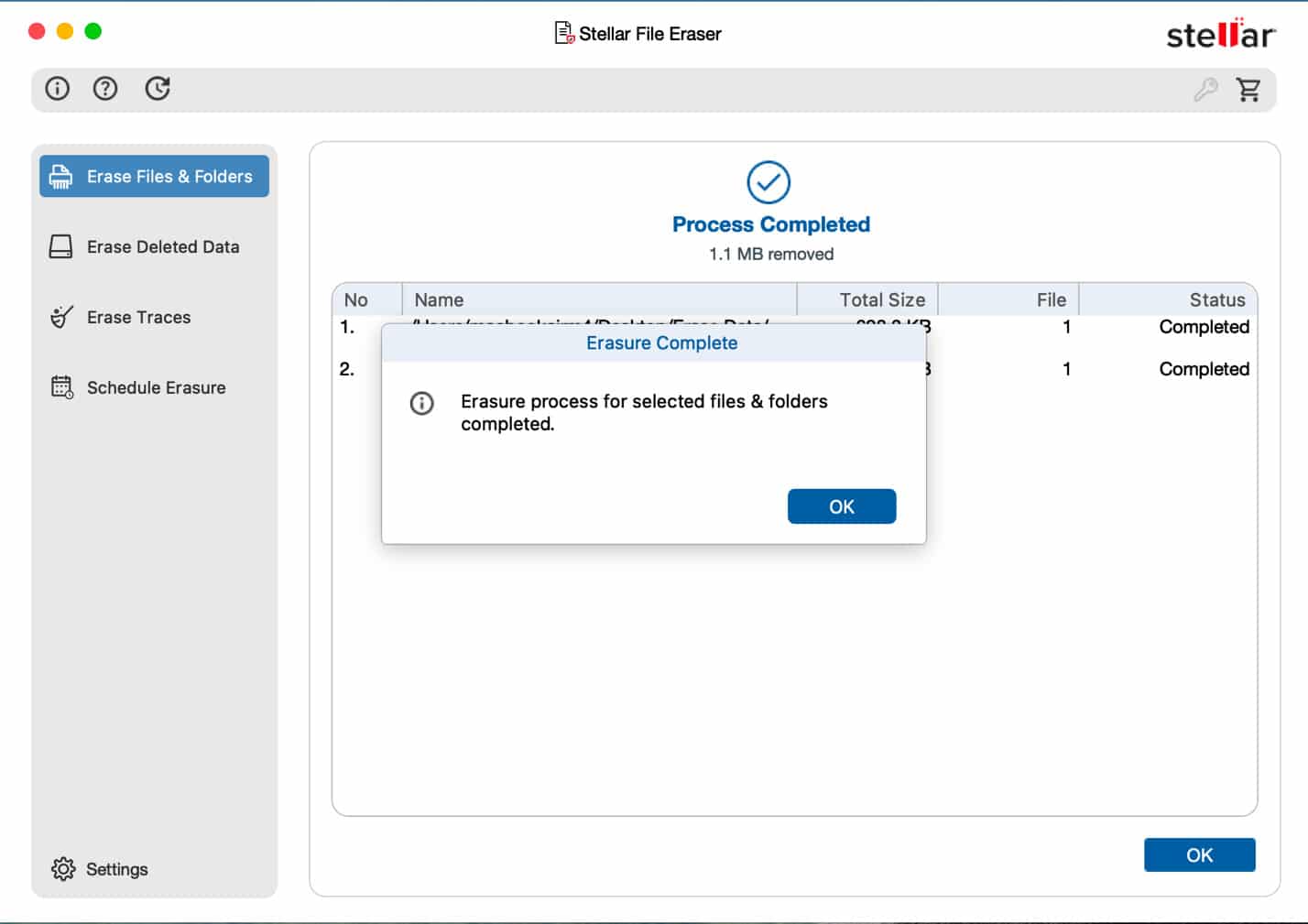
That said, it’s not without gaps. A few dialogs could explain more clearly what happens once an erase starts. And if you’re the type who wants proof of what actually happened, overwrite verification, block-level progress, a detailed log, you won’t find much of that here. It wouldn’t matter to a casual user, but it would go a long way for IT folks who need to document what they did.
The Features That Actually Matter
Most utilities pad their feature list with things nobody touches. Stellar keeps it tighter, focused on privacy concerns people actually run into.
Secure File and Folder Erasure
This is the core of the app. Pick a file or a whole folder, and instead of a normal delete, the software overwrites the underlying data using secure erase algorithms meant to block recovery.
I’d reach for this with things like:
- Tax records
- Password databases
- Legal paperwork
- Client files
- Financial spreadsheets
- Medical documents
- Personal photos
If you regularly handle anything in that list, this feature alone might justify the purchase.
Wiping Free Space
This one’s easy to overlook but genuinely useful. Even after a file’s been deleted, leftover fragments can sit in unallocated space on the drive. Free-space wiping overwrites that empty space without touching your current files.
It’s a smart step before:
- Selling a Mac
- Trading one in
- Returning a company laptop
- Donating a drive
Most people skip this entirely. It’s probably one of the most underrated tools in the whole app.
Clearing Internet Activity
Browsers hold onto a lot more than history these days, cookies, autofill data, search history, login sessions, cached files, site permissions, the works.
Stellar covers the major browsers here, Safari, Chrome, Firefox, Opera, Edge, so you’re not manually digging through settings in five different apps.
Application Trace Cleanup
Apps leave stuff behind even after you close them, temp files, logs, caches. Stellar can clear out residue from various applications, including things like peer-to-peer software that tends to leave a longer trail than people expect.
Most users never think about this, but it can quietly reveal usage history long after the app itself is gone.
The Scheduler
This one deserves more credit than it usually gets. Instead of relying on yourself to remember to run a secure erase, you can automate it.
Genuinely handy for:
- Shared office machines
- School computer labs
- Business workstations
- Freelancers juggling client files
- Anyone regularly handling sensitive documents
Automating it just takes the “did I remember to do this” problem off your plate.
Is It Actually Better Than Just Deleting Files?
This is probably the real question on most people’s minds before they consider paying for something like this.
Honestly, it depends on what you’re trying to do.
If the goal is just freeing up space, macOS handles that fine on its own. Delete, empty the Trash, done.
But if the goal is making sure that file can never come back, plain deletion doesn’t cut it. macOS typically just marks those blocks as available, it doesn’t overwrite them right away. Until something else claims that space, recovery tools may still be able to piece the file back together.
Stellar takes a different approach: it overwrites the actual data using secure erase methods built to make recovery impractical, not just marks it as free.
For everyday use, that difference might never come up. But if you’re dealing with anything confidential, it’s really the whole reason software like this exists.
Where This Actually Comes In Handy
What stood out to me while testing this is that it’s built around real situations, not vague “speed up your Mac” promises.
Selling your MacBook, Most people just wipe the drive through Disk Utility or reset macOS before selling. That’s usually fine. But if you’ve had years of tax records, passport scans, or contracts sitting on that machine, a secure wipe before the reset adds an extra layer of confidence.
Returning a company laptop, Even after deleting your files, cached data, browser sessions, downloads, and app traces can stick around. Running a secure erase first helps make sure nothing confidential gets left behind by accident.
External drives, Old USB sticks and portable SSDs pile up in drawers. Instead of just formatting and hoping for the best, securely wiping them first is a much safer bet before giving them away or tossing them.
Freelancers and creatives, Photographers, designers, editors, accountants, consultants, anyone working with client files knows that deleting a finished project isn’t always enough. Secure erasure gives you real assurance that data isn’t coming back.
Browser Privacy, Specifically
People tend to underestimate how much their browser is holding onto, autofill entries, cookies, download history, cached files, login sessions, saved preferences, even payment info and search history.
Manually clearing all of that across multiple browsers gets old fast. Stellar bundles it into one workflow, which makes it a lot less tedious, especially if you’re not particularly technical.
Apple Silicon Support
A lot of older Mac utilities still lean on Rosetta to run on Apple Silicon. Stellar doesn’t, it runs natively on M-series chips through macOS Tahoe 26, which means faster launches and smoother integration with the OS.
If you’re managing a mixed fleet of Intel and Apple Silicon Macs, having one app that works cleanly across both saves you a headache.
System Requirements
It’s fairly light compared to a lot of modern software:
- macOS 10.13 or newer
- Intel or Apple Silicon
- 4 GB RAM minimum, 8 GB recommended
- Roughly 250 MB of storage
Basically any supported Mac should run it without breaking a sweat.
Pricing
Stellar sticks to a pretty standard model here, paid license, free trial to test the waters. The trial lets you poke around the interface before buying, though naturally some features are locked until you activate it.
Compared to other secure deletion tools out there, it sits somewhere in the middle price-wise, not the cheapest, not the priciest enterprise option either. Given that it’s built for permanent data destruction rather than everyday cleanup, the price feels fair for people who actually need it.
If you’re only ever going to wipe a handful of files once every few years, it might be a tough sell. If confidential data crosses your desk regularly, it’s a much easier decision.
What About Speed?
File erasers shouldn’t really be judged on speed the way cleaning apps are, accuracy is the whole point. Overwriting data naturally takes longer than a normal delete, since the software is deliberately writing over storage rather than just removing a directory entry.
A few things affect how long it takes:
- SSD vs. HDD
- File size
- Which overwrite method you pick
- External drive speed
- Available system resources
Larger drives, especially during a free-space wipe, will take noticeably longer. That’s expected, it usually means the job’s being done properly.
What I Liked
It stays in its lane. A lot of Mac utilities try to cram in dozens of unrelated features. Stellar doesn’t bother, it’s laser-focused on securely destroying data, and that keeps the whole experience simple.
It doesn’t assume you’re an expert. Secure deletion sounds scarier than it needs to. The app explains its options without burying you in technical terms, so even someone unfamiliar with overwrite algorithms can get around fine.
It’s not just for your internal drive. External SSDs, USB drives, memory cards, external HDDs, all covered. That’s useful well beyond just cleaning up your Mac itself.
Browser cleanup lives in the same place. Instead of juggling separate tools for browsing history and document deletion, it’s all under one roof.
Where It Could Improve
More visibility during the process. It tells you something’s happening, but power users will want more, overwrite progress, verification status, completion logs, block-level detail. None of this matters for a casual user, but it would build a lot more confidence for IT teams.
Better reporting after the fact. I’d love to see a summary once an erase finishes, files erased, total data overwritten, which algorithm was used, how long it took, verification status. That kind of documentation matters a lot in business settings.
A visual refresh wouldn’t hurt. Nothing here is broken, but some windows do feel a bit dated next to newer Mac apps. Doesn’t affect how well it works, but a cleaner look would help it feel more current.
A bit more hand-holding on the “why.” Most Mac owners don’t really understand secure deletion. A few short in-app explanations of why overwriting matters, and when it doesn’t, would make this more approachable for first-timers.
How Does It Stack Up Against macOS’s Own Tools?
macOS already gives you Finder for deleting, Disk Utility for erasing drives, and storage recommendations in System Settings. So why bother with a separate app?
Because Apple’s tools are built around storage management. This one is built around data destruction. Those aren’t the same job.
If all you want is space back, macOS is usually enough on its own. If you actually need confidential information to be unrecoverable before hardware changes hands, that’s a different requirement, and it’s exactly what Stellar is aiming at.
Stellar vs. Other Mac Erasers
The secure-erase space isn’t huge, but you do have options, macOS’s built-in tools, or all-in-one suites like CleanMyMac or MacKeeper.
| Feature | Stellar File Eraser | CleanMyMac | macOS Built-in |
|---|---|---|---|
| Secure File Erasure | Yes | Limited | No |
| Free Space Wiping | Yes | Limited | Partial |
| Browser Trace Cleanup | Yes | Yes | Manual |
| External Drive Support | Yes | Limited | Manual |
| Scheduled Erasure | Yes | No | No |
| Beginner Friendly | Very easy | Excellent | Moderate |
| Permanent Data Destruction | Primary purpose | Secondary feature | No |
The philosophy is just different. CleanMyMac wants to keep your Mac tidy and running smoothly. Stellar wants to make sure deleted data stays deleted. If you’re after storage space and general upkeep, a cleaner app makes more sense. If you’re protecting confidential information before it’s gone, Stellar is built specifically for that.
What Sets It Apart
Three things stood out to me after going through everything:
It doesn’t try to do everything. Most Mac utilities pile on optimization, RAM cleaning, duplicate photo detection, startup management, widgets, update checks, you name it. Most people use maybe two of those. Stellar skips all that noise and just focuses on secure data destruction. It’s a refreshing change of pace.
External storage gets real attention. People remember to securely erase their Mac and completely forget about the USB drive or SD card sitting in a drawer with years of personal files on it. Having all of that covered from one app is genuinely useful.
It thinks beyond documents. Privacy today isn’t just about PDFs and Word files, it’s cookies, saved logins, payment info, download history, app traces, cached data. Stellar covers a lot more of that surface area than you’d expect.
Who Should Actually Buy This?
Not everyone needs dedicated erasure software, but some people will get real value out of it:
- Business professionals storing contracts, customer data, or financial records
- Freelancers, designers, developers, consultants, photographers, accountants, handling client files
- Students who cycle through laptops every few years, often leaving assignments, IDs, and financial aid documents behind
- IT departments managing device retirement across multiple Macs
- Anyone selling their Mac, full stop, this is the simplest case for it
Who Can Probably Skip It
You’re probably fine without it if:
- You rarely store anything confidential
- Your Mac never really leaves your hands
- You’re only clearing out temporary downloads
- You just want storage space back
- You’re really looking for a Mac optimization suite, not a privacy tool
macOS covers all of that on its own.
Is It Safe to Use?
This comes up a lot, so worth addressing directly. Stellar Information Technology, the company behind it, has been in the data recovery and data management space for years. The app is built to overwrite the specific data you select, not to touch unrelated system files.
Like any secure-erase tool, though, double-check what you’re selecting before you hit go. Once the overwrite finishes, recovery is deliberately made extremely difficult, if not impossible. That’s the whole point, and also exactly why you want to be sure before you start.
FAQs
Can it erase external SSDs? Yes, USB drives, external SSDs, hard drives, and memory cards are all supported.
Can erased files be recovered afterward? That’s the whole point of secure overwrite software, it replaces the actual data instead of just removing the reference to it. Once an erase finishes successfully, recovering the original file through normal methods shouldn’t be possible.
Does it work on Apple Silicon? Yes, natively, including M-series chips on current macOS versions.
Is there a free version? There’s a free trial you can use to explore the interface before buying, some features stay locked until you activate a license.
Is this better than just emptying the Trash? If privacy is the priority, yes. Emptying the Trash mostly clears references to files. Secure erasure actually overwrites the storage so the data isn’t easily recoverable.
Can it wipe free disk space? Yes, and it’s one of the more valuable features, since it targets data that’s already been deleted but might still be sitting in unallocated space.
Does it clear browser history? Yes, across Safari, Chrome, Firefox, Opera, and Edge.
My Final Take
Stellar File Eraser isn’t trying to be another Mac maintenance app, and that’s exactly why it works. Instead of chasing trendy extras like RAM optimization or duplicate photo cleanup, it sticks to one job: securely destroying data. That focus is both its biggest strength and its biggest limit.
If you’re after better Mac performance or more free storage, there are better-suited tools for that. But if your goal is making sure confidential information can’t come back after you sell, donate, recycle, or repurpose a Mac or drive, this gives you the dedicated capability most people actually need for that.
The interface is approachable, the workflow doesn’t require a manual, and native Apple Silicon support means it’s not going to feel outdated anytime soon. The scheduler, browser cleanup, and free-space wiping all add real value beyond a basic delete.
That said, it’s not flawless. More detailed reporting, clearer progress during an erase, and a slightly more modern interface would make it feel more polished, especially for power users and IT teams who like documentation.
At the end of the day, it stays focused, does what it says, and doesn’t try to be something it’s not. For anyone who regularly handles sensitive personal or business data, that focus makes it worth the money.
Final Scores
| Category | Rating |
|---|---|
| Ease of Use | 9/10 |
| Features | 8.5/10 |
| Security Capabilities | 9/10 |
| Performance | 8.5/10 |
| User Interface | 8/10 |
| Value for Money | 8/10 |
| Overall Score | 8.5/10 |
Buy it if:
- You regularly work with confidential documents
- You’re planning to sell or recycle a Mac or external drive
- You want a dedicated tool built specifically for permanent data destruction
- You’d rather have a clean interface than mess with command-line tools
Skip it if:
- You just want storage space back
- You’re looking for a general Mac optimization app
- You rarely deal with files sensitive enough to need secure deletion
At the end of the day, Stellar File Eraser fills a gap that macOS doesn’t fully cover on its own. For anyone who takes privacy seriously, secure deletion isn’t just a nice-to-have, it’s a real part of protecting your information long after a file disappears from Finder.