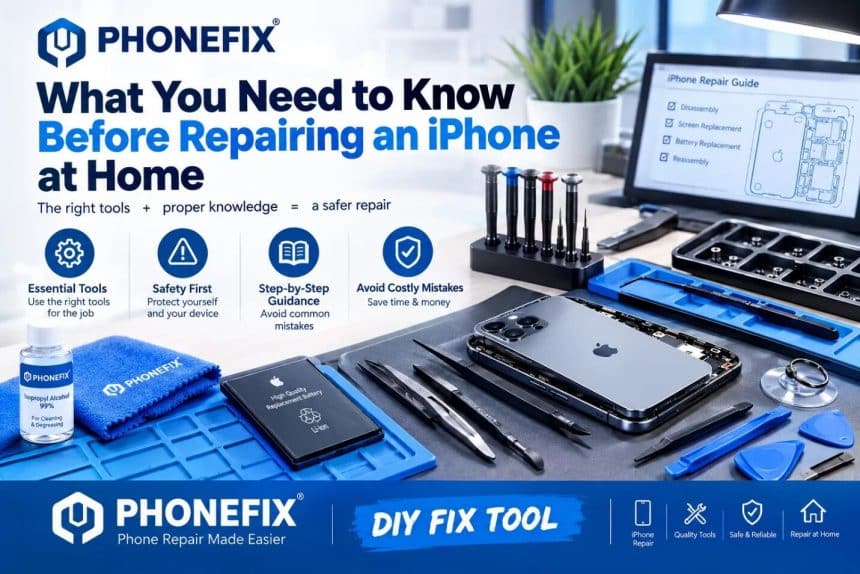
A cracked display, weak battery, or faulty component can make repairing an iPhone at home look like an attractive alternative to paying for professional service. Repair guides, replacement parts, and specialist tools are easier to find than they once were, making some repairs more accessible to experienced users.
However, an iPhone is a tightly engineered device with delicate connectors, adhesives, sensors, batteries, and model-specific components packed into a small space. Before opening one, it is worth understanding what the repair actually involves and where a seemingly simple job can go wrong.
Diagnose the Problem Before Opening the Phone
Not every iPhone problem requires a replacement component. An unresponsive display, charging issue, unusual battery behavior, or camera problem may sometimes be caused by software, a damaged cable, debris, settings, or another component rather than the part that initially appears faulty. Start with basic troubleshooting and determine the likely cause before buying anything. This matters because opening an iPhone unnecessarily creates risks that did not exist before. It may also result in purchasing a replacement screen or battery only to discover that the original component was not responsible for the fault.
Apple publishes troubleshooting and repair information for supported devices, so checking documentation for the exact model can help clarify what needs attention.
Know Exactly Which iPhone You Have
An iPhone 13 component is not automatically suitable for an iPhone 13 Pro, and visually similar models can require different displays, cables, adhesives, or repair procedures. Identifying the exact device should therefore come before ordering replacement parts. Compatibility becomes particularly important with display repairs.
If a screen genuinely needs changing, users comparing iPhone Screens Replacement parts should confirm the exact model and relevant specifications rather than choosing a component simply because it resembles the damaged one. A mismatched component can turn an otherwise manageable repair into an expensive mistake. Model numbers and device information should be checked before the original phone is opened.
Understand That the Right Tools Matter
A kitchen drawer is rarely an adequate phone-repair toolkit. Modern iPhones use small screws, strong adhesives, thin cables, tightly fitted assemblies, and components that can be damaged by excessive pressure. Depending on the model and repair, appropriate equipment may include precision screwdrivers, opening tools, suction equipment, tweezers, adhesive-removal tools, protective equipment, and fixtures designed for working with displays.
Improvising with large screwdrivers, metal blades, or excessive force increases the chance of scratched housings, stripped screws, torn cables, or damaged internal components. If a repair guide calls for equipment you do not have, that should be considered part of the true cost of the job.

Treat the Battery as a Safety Issue
The battery deserves particular attention during any repair that requires opening an iPhone. Lithium-ion batteries store considerable energy in a compact package and should not be bent, crushed, punctured, or exposed to inappropriate heat. A repair involving a swollen or visibly damaged battery is especially unsuitable for casual experimentation. Likewise, forcing tools into an unfamiliar device without knowing the battery's position can create unnecessary risk.
If the procedure reaches a stage where the battery appears damaged, begins behaving abnormally, or cannot be handled according to the relevant repair instructions, stopping the repair is safer than trying to improvise a solution.
Back Up Important Data First
Physical repair and data storage may seem like separate issues, but a failed repair can leave an iPhone temporarily or permanently unusable. Photos, contacts, authentication apps, work information, notes, and other important data can suddenly become difficult to access.
Creating a current backup before starting is therefore one of the most useful preparations for a home repair. Depending on the user's setup, this may involve iCloud or a computer backup.
A backup does not repair itself safer, but it reduces the consequences if something unexpected happens. This is particularly important when the phone contains information that cannot easily be recreated.
Water Resistance May Be Affected
Opening an iPhone generally involves disturbing adhesive and seals used around the enclosure or display. Reassembling the phone is therefore not simply a matter of putting the screws back in their original positions. Replacement adhesive may be required as part of the procedure, and even careful reassembly should not lead users to assume that the device has automatically returned to its original resistance to water and dust.
For people who regularly use their phones around rain, kitchens, workshops, pools, or other environments where moisture is possible, this is an important consideration when deciding whether a home repair is worthwhile.
Small Components Can Create Big Problems
The most difficult part of an iPhone repair is not always removing the broken component. Delicate flex cables, connectors, sensors, cameras, speakers, and other assemblies can sit very close to the part being replaced.
Pulling a display too far, inserting a tool too deeply, losing a tiny screw, or damaging a connector can create a second fault while attempting to correct the first. This is one reason repair instructions should be specific to the exact iPhone model. A video showing a similar-looking phone is not necessarily an appropriate guide for another version.
Consider Warranty and Repair Support
Before opening an iPhone, check whether the device is still covered by Apple's Limited Warranty, AppleCare, another protection plan, or consumer-law rights that may apply in your region. Apple also offers Self Service Repair for eligible devices and repairs, with access to manuals, genuine parts, and professional-grade tools.
Importantly, Apple describes the program as being intended for people who already have knowledge and experience repairing electronic devices. That distinction matters. Availability of parts does not automatically mean every iPhone repair has become beginner-friendly.
Test the Phone Before Considering the Job Finished
A screen lighting up after reassembly is encouraging, but it does not necessarily confirm that everything is working correctly. After an appropriate repair, relevant functions should be checked carefully. For a display job, that may include touch response, image quality, cameras, speakers, microphones, buttons, charging, and other features that could have been affected while the device was open. Testing makes it easier to identify a problem while the repair process is still fresh rather than discovering it several days later.
Know When to Stop
Successful DIY repair depends as much on judgment as manual skill. A straightforward component replacement may be realistic for someone who has repaired electronics before, while motherboard faults, damaged connectors, liquid damage, battery problems, or unfamiliar internal damage may require professional equipment and experience.
If the actual condition of the phone does not match the repair guide, continuing simply because the device is already open can make matters worse.
Conclusion
Repairing an iPhone at home can be practical in the right circumstances, particularly for someone who understands electronics, has the correct tools, obtains compatible parts, and follows model-specific instructions carefully. It should not, however, be treated as a risk-free shortcut.
Before starting, diagnose the fault, identify the exact model, back up important data, understand the safety considerations, and calculate the real cost of the parts and tools involved. Most importantly, recognize when a repair has moved beyond your experience. Sometimes completing the job yourself makes sense; in other cases, stopping before additional damage occurs is the better repair decision.