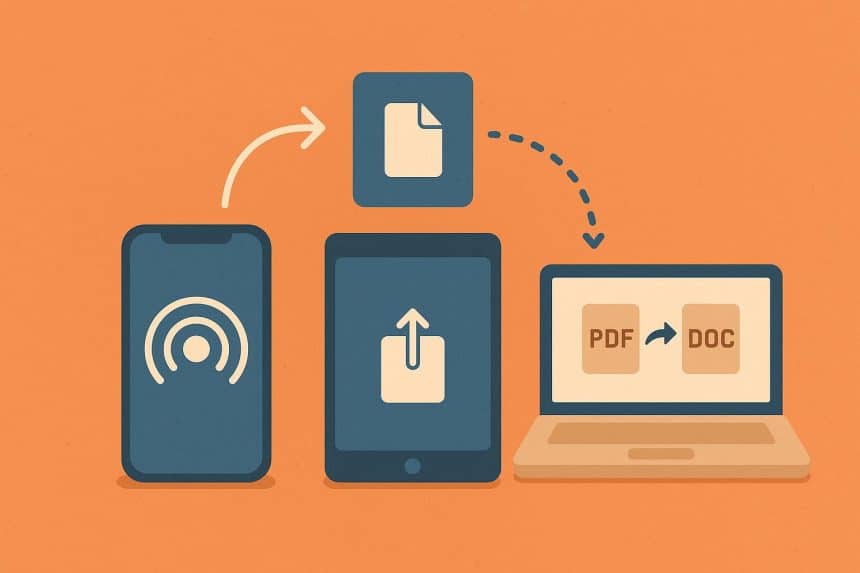
Apple has built an empire around its brand, and one of the key components has always been convenience. Convenience, seamlessness, whatever you choose to call it. The bottom line is that the company is great at unburdening you of any working knowledge of file formats within its own ecosystem.
Take a video on an iPhone, AirDrop it to a Mac, open it, edit it, send it back, and there is a fair chance nobody involved will ever ask whether the footage uses HEVC, H.264, MOV or something else. Personally, I don’t think I’ve ever heard of formats other than MOV until very recently. But what if you want to step outside the Apple empire?
If an HEVC or MOV video reaches software that rejects it, Convertio can convert to mp4 directly in the browser and encode the output with H.264, giving the file a format-and-codec combination intended for broader playback compatibility. Convertio accepts MOV files and HEVC-encoded video, can output MP4, and lets users choose an output codec such as H.264 instead of merely changing a filename extension.
If you’re within the AirDrop convenience bubble, any conversion is an inconvenience, sure. Apple’s software has become very good at hiding formats.
Efficiency vs. Compatibility
Since iOS 11, Apple devices have supported HEIF for images and HEVC, also called H.265, for video. Apple says the formats provide better compression than JPEG and H.264 while maintaining the same visual quality. In practice that means less device and iCloud Photos storage needed.
Now, on compatible iPhones and iPads, Apple offers two camera-format choices:
- High Efficiency
uses HEIF and HEVC - Most Compatible
records new photos as JPEG and videos as H.264. Apple explicitly describes the latter two as more broadly compatible with other devices and operating systems.
Why is this still a choice in 2026? Apple has actually extended its use of high-efficiency media.
- On supported Macs running macOS Tahoe 26 or later, an HDR screenshot is stored as HEIF, while an HDR screen recording uses HEVC.
- Choosing SDR (labelled Most Compatible) instead produces PNG screenshots and H.264 screen recordings.
So, essentially, Apple is deliberately trading some universal compatibility for better compression, HDR support or professional-quality media when there is a reason to do so. Something that Apple users don’t usually notice, or feel any effect of, if they don’t step out of the ecosystem.
Conversion precedes the problem
Let’s follow a quick step-by-step.
- open a photo or video on an iPhone
- tap Share
- Go to Options
- Notice that Apple gives you three choices for the file format.
- Current
prevents conversion. - Most Compatible
may convert the material into JPEG or MOV. - Automatic
lets the phone choose what it considers the best format for the destination.
This is the same principle that operates for other material/footage, so choosing the right option for your needs is critical.
Apple says that when HEIF or HEVC content is sent through AirDrop, Messages or email to a device that does not support the newer format, it may automatically be shared as something more compatible, such as JPEG or H.264.
Importing HEIF or HEVC material from an iPhone or iPad over USB can also trigger conversion to JPEG or H.264 unless the user selects the option of ‘Keep Originals.’
What else can be taken away for the sake of keeping files compatible? Unfortunately, a part of the functionality.
Apple notes that if a service or device does not support Live Photos, the recipient gets a still image instead. This is why an Apple-only workflow can create a slightly false impression that formats don’t actually matter that much. It’s like they say, if you’re not working a conscious program, an unconscious one is working you. Compatibility decisions are still there, but you’re not the one making them. The software is often making them automatically, and you might be completely ok with that, but depending on the job at hand, you might be required to step in and actually know what you’re doing.
Microsoft, for example, still documents situations in which HEIF and HEVC media downloaded to Windows require additional codecs. Its current codec documentation also lists HEVC as an extension that may have to be installed for playback, whereas H.264 is among the formats supported out of the box by Windows Media Player.
HEVC is not a bad format per se. It’s technically a better choice for storage and not always the most convenient choice for the recipient.
It is not just photos and video
The same pattern appears in Apple’s productivity software. A Pages document is great inside Pages, just as a Numbers spreadsheet or Keynote presentation is great inside its respective Apple application. What if the recipient works somewhere else?
- Apple’s own instructions tell users to export:
- Pages files as DOCX for Microsoft Word,
- Numbers files as XLSX for Excel
- Keynote presentations as PPTX for PowerPoint.
- Pages also exports PDF, EPUB, RTF and plain text; Numbers supports formats including CSV and TSV; and Keynote can create PDFs, images, GIFs and several movie formats.
This makes the classic Apple vs. Windows debate too simplistic. Two people can both own Macs and still need a conversion because one company’s workflow requires PowerPoint and not Keynote. A website may accept JPEG but reject HEIC. A video platform may accept MP4 but not the particular combination of container and codec that arrived from somebody’s camera or editing application.
In those situations, browser-based service Convertio provides a separate conversion layer without requiring the user to install desktop conversion software. As partially mentioned, its current converter supports more than 300 file formats across video, images, documents, audio and other categories, while its video controls include codec, quality and other output settings.
Apple has made file compatibility feel invisible, which is probably the highest compliment you can pay an ecosystem. But being invisible is not the same as being irrelevant. The moment a file leaves that ecosystem, formats suddenly have consequences again. AirDrop spoiled us; the rest of the internet did not sign up for this.